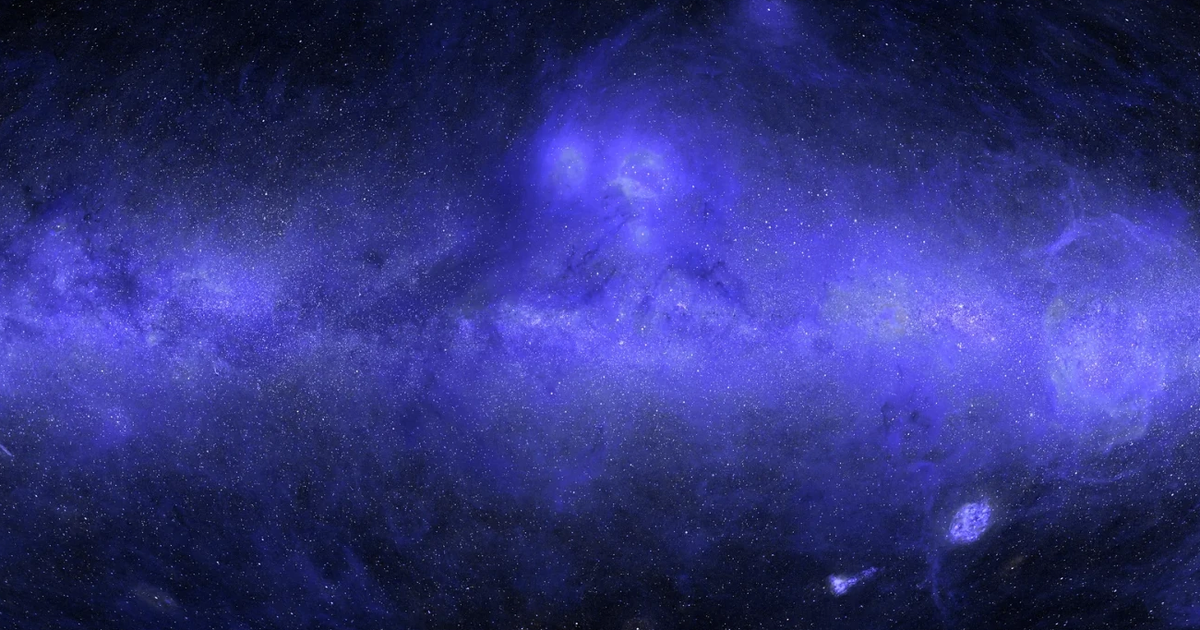
Brice Ménard, an astrophysicist at Johns Hopkins University, collaborated with Claude Science to create the first complete ultraviolet (UV) map of the sky, providing an invaluable educational resource for students. This map highlights the intricate structure of the Milky Way, demonstrating how different wavelengths of light reveal various cosmic features.
Key Features of the UV Map
- Observational Challenges: UV light is absorbed by Earth’s atmosphere, necessitating space telescopes for observations. The GALEX mission (2003-2013) provided substantial data but missed regions with bright stars due to potential detector damage.
- Completing the Map: Using advanced statistical techniques and machine learning, researchers filled in the data gaps. Claude Science leveraged previous datasets and correlated UV observations with other wavelengths (infrared, visible, radio) to estimate missing areas.
- Methodology: The process involved rigorous checks and data cleaning to ensure accuracy, addressing challenges like atmospheric glow interference from bright stars. Claude used a technique called “inpainting” to make educated predictions about unobserved regions.
- Final Product: The resulting map displays intricate details, revealing dust clouds, gas rings from explosions, and the proximity of neighboring galaxies like the Large and Small Magellanic Clouds.
Implications
This UV map is set to transform astrophysical education, enabling students to visualize and understand the diverse physical processes shaping our galaxy, without detracting from ongoing research efforts.
Further Exploration
For those interested, the completed UV map can be accessed here.


