
VSCO is enhancing its AI Lab by introducing five additional AI-driven editing tools for photographers, expanding the total to eight offerings. Here’s a look at what’s new.
Since the launch of VSCO’s AI Lab last year, the platform has continuously integrated tools tailored for both amateur and professional photographers aiming to simplify their editing experience.
In January, AI Lab welcomed a prompt-based interface for image editing, complementing existing features such as the Upscale tool, which enhances images up to four times their original resolution, and the Remove tool, designed for effortlessly eliminating unwanted objects from photos.
Now, VSCO has unveiled five new features within its AI Lab, which include:
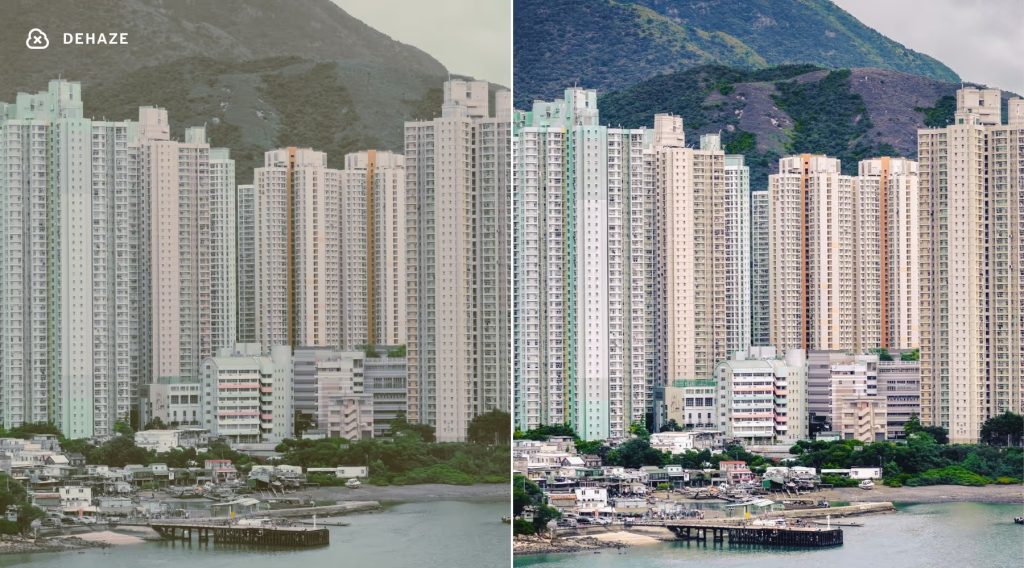
- Dehaze: Restores contrast and color depth in flat, overcast, or misty outdoor images;
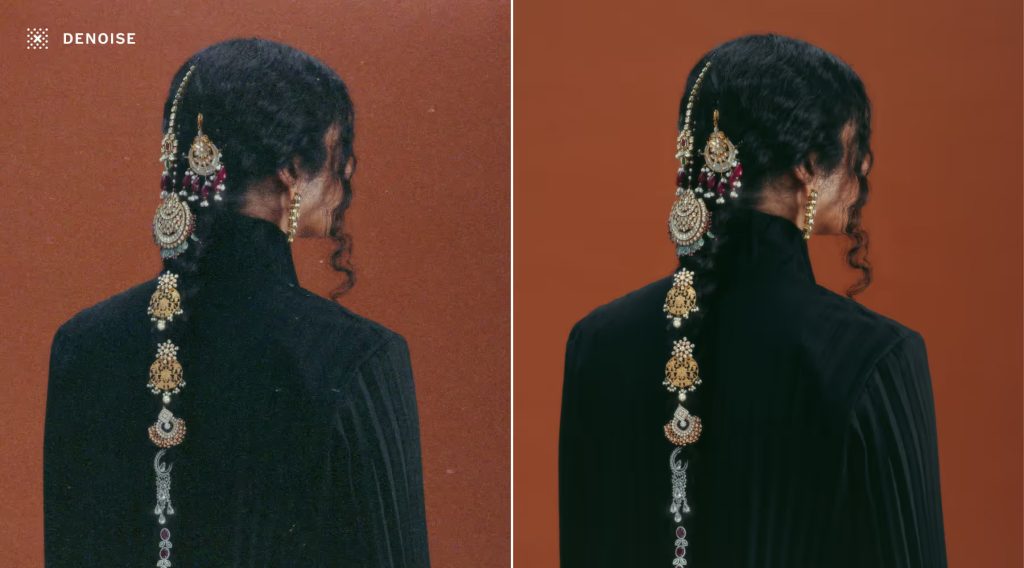
- Denoise: Automatically eliminates unwanted grain, dust, and high-ISO artifacts while maintaining the authentic texture of your photograph;
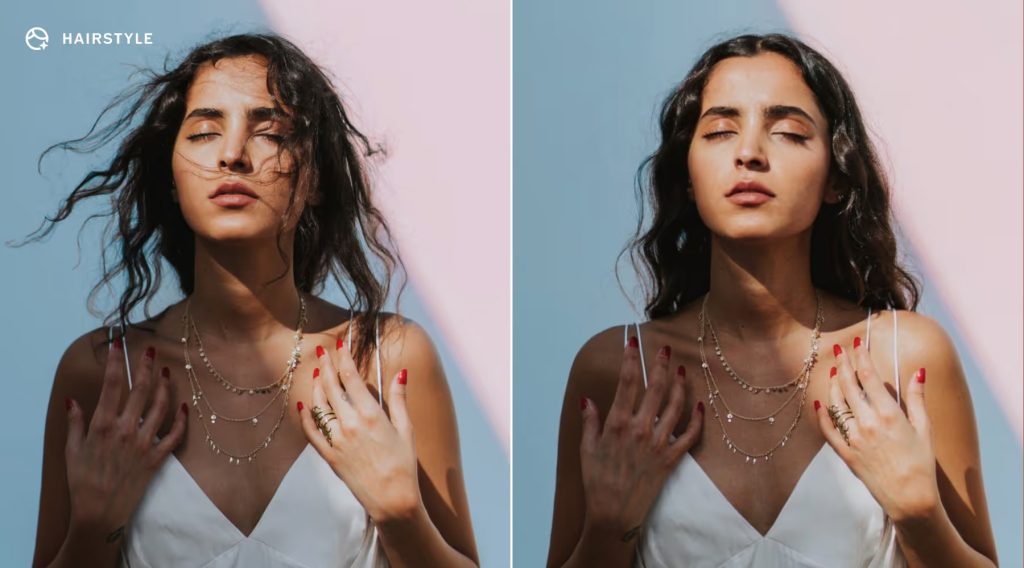
- Hairstyle: Intelligently reshapes and refines hair, enhancing shape, volume, and definition while preserving natural texture;
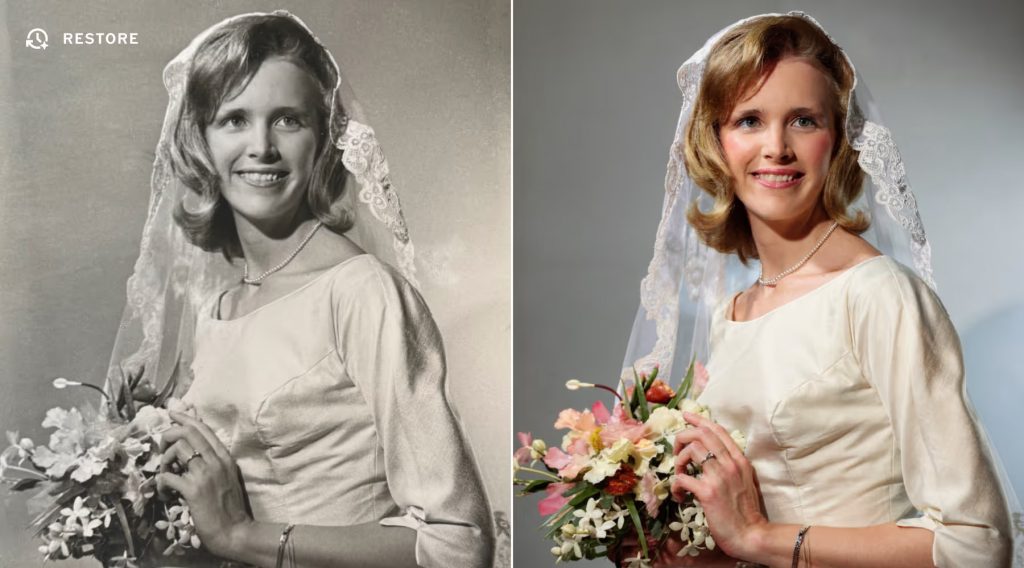
- Restore: Helps repair and enhance aging photos by brightening faded colors, sharpening softened details, and reducing visible defects like scratches and dust;
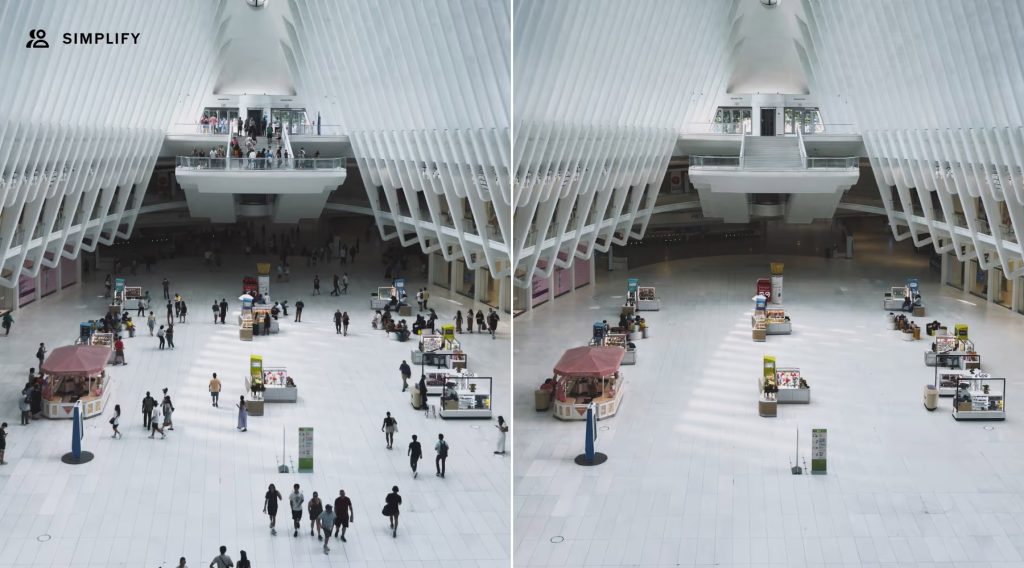
- Simplify: Reduces background clutter and distractions with a single click, allowing your subject to shine—especially in busy city, travel, or event shots.
Take a look at the gallery below for before-and-after comparisons showcasing these new tools:
For more information about VSCO AI Labs and instructions on how to explore the features for free, click here.
Worth Checking Out on Amazon


FTC: We use income earning auto affiliate links. Learn more.