For anyone contemplating a change in their AI assistant, the process is surprisingly straightforward, requiring just a few simple steps to transition from one platform to another. This ease of switching highlights how minimal the barriers are within the business models of companies like OpenAI and Anthropic, allowing users to exit quickly if they choose to.
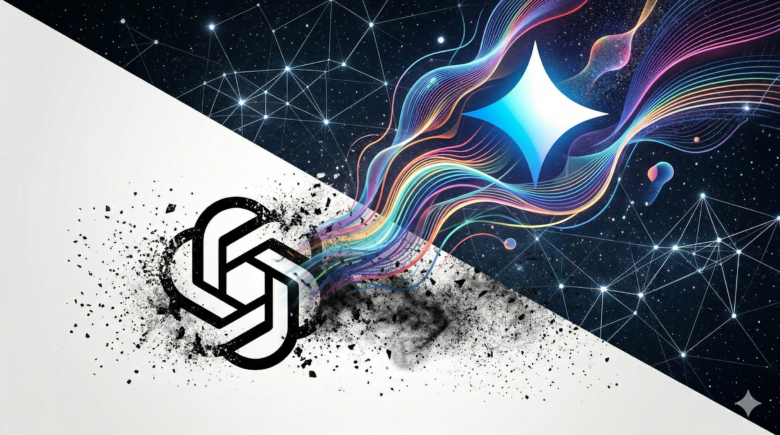
In response to this shifting landscape, Google has rolled out new import tools designed to facilitate the migration to its AI assistant, Gemini, particularly as OpenAI shifts its focus from B2C to B2B. Anthropic, too, has demonstrated a seamless transition experience with its assistant, Claude.
Gemini Understands Your Needs
Google has unveiled new user-friendly switching tools tailored for all consumer accounts, now enabling the import of memories, personal preferences, and full chat histories from other AI applications directly into Gemini. This feature is available immediately through the settings of the Gemini app.
The import process is intentionally streamlined. Users select the import option in the settings, which generates a suggested prompt to paste into the previous AI application. The other assistant will then create a summary of your stored preferences. Simply paste this summary back into Gemini, where it will analyze and securely store the information in your personal context.
This approach allows Gemini to inherit critical information previously stored in other applications, including personal interests, names of family members, and addresses, eliminating the need to start anew.
Transferring Your Complete Chat History
In addition to memory imports, Google also provides the capability to transfer your entire chat history from other AI platforms. Users can do this by uploading a ZIP file containing the exported chat history, enabling them to search and continue previous conversations directly within Gemini.
Furthermore, Google is rebranding its existing “past chats” feature as “memory,” a change that will be reflected in the app over the coming weeks. Gemini’s Personal Intelligence can also draw content from Gmail, Google Photos, and Google search history, provided users grant the necessary permissions.
Security and Accessibility
Google affirms that the import process prioritizes security, with all transferred data being stored in the personal context of the respective Gemini account. The memory and chat history import functionalities are currently available through the Gemini app’s settings page for consumer accounts and will be gradually rolled out.
Transitioning from ChatGPT to Claude: A Simple Guide
If you’re considering a switch to Anthropic’s Claude instead of Gemini, the process involves just two steps, or you can find more details here. First, you need to export your entire account history as a downloadable file in ChatGPT. This can be done under Settings, Data Controls, Export Data. Additionally, ChatGPT allows you to retrieve stored memories using a specific prompt, which outlines all your preferences, personal information, projects, and behavior instructions in a structured format. It’s important to note that the memory feature is only accessible to Plus and Pro subscribers.
In the second step, you can transfer this data to Claude. Anthropic provides a dedicated feature for this under Capabilities, Import Memory from Other AI Providers, Start Import. Claude will assimilate information such as your professional background, communication styles, technical preferences, and ongoing projects. Please keep in mind that similar to ChatGPT, the memory feature in Claude is also exclusive to paid subscriptions, specifically available for Pro, Max, Team, and Enterprise plans. Therefore, users with free accounts may find the full memory transfer to be of limited utility.