Welcome back! In this article, I’ll share a recent experience I had while working with agents, specifically through an actual agent session. My goal isn’t to focus on a specific task but rather to illustrate how I can make better use of agents. Hopefully, you’ll find some insights that you can apply to your own learning!
I’d love to hear your thoughts on this approach. Was it helpful? Is anything unclear? Are there other topics you’d like to dive into?
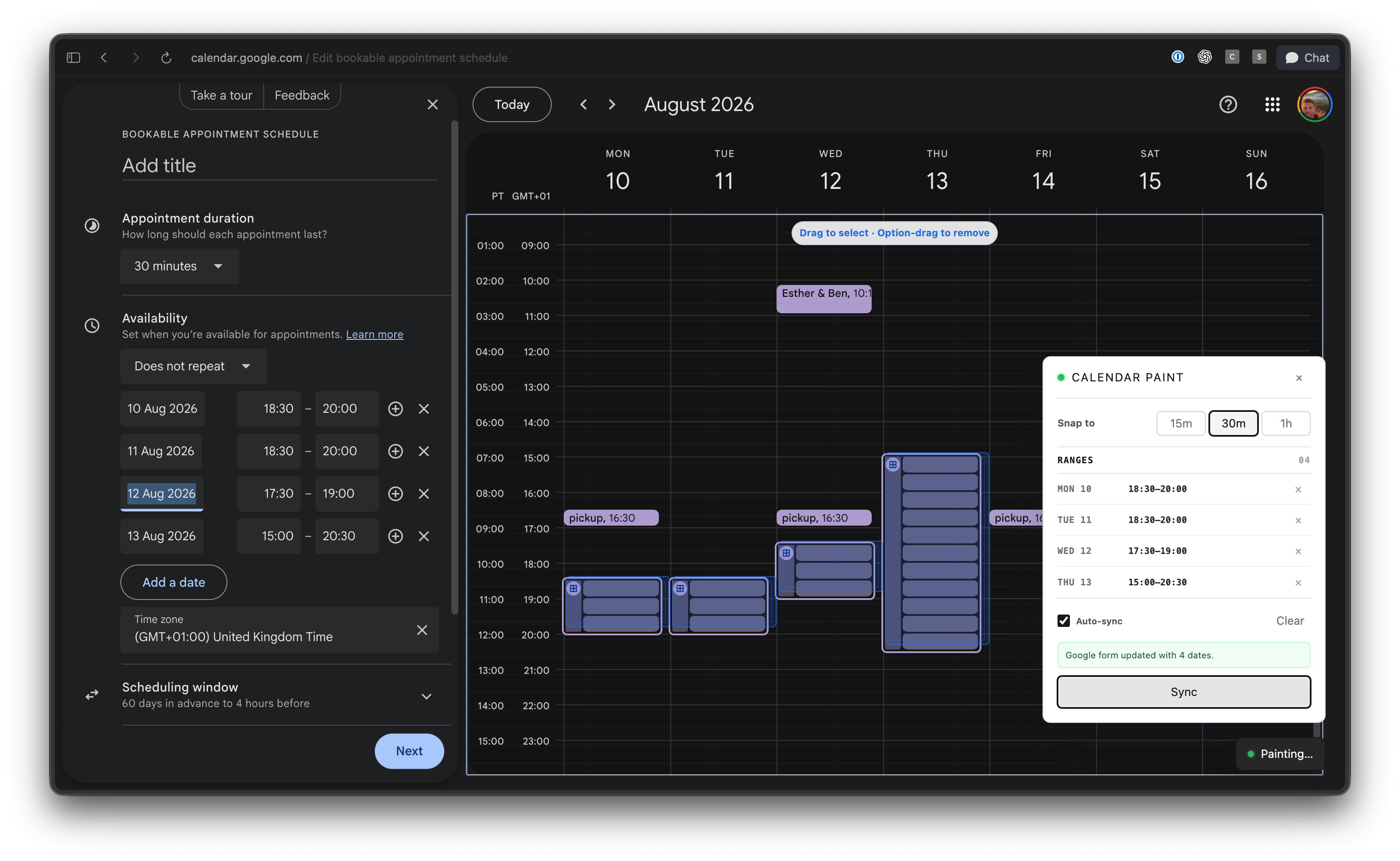
Recently, I wanted to set up a bookable appointment link in Google Calendar, and I became frustrated with the fact that I couldn’t simply drag time slots on the calendar grid. Instead, I was forced to type each date and time range into a cumbersome form. It would have been much easier to drag the slots on the week view and have the form update automatically.
So, I decided to use ChatGPT (I usually operate in Codex mode, but it also works in ‘Work’ or Claude Cowork). I aimed to test out Luna on Max reasoning, especially since the price has dropped by 80% and users have been raving about it.
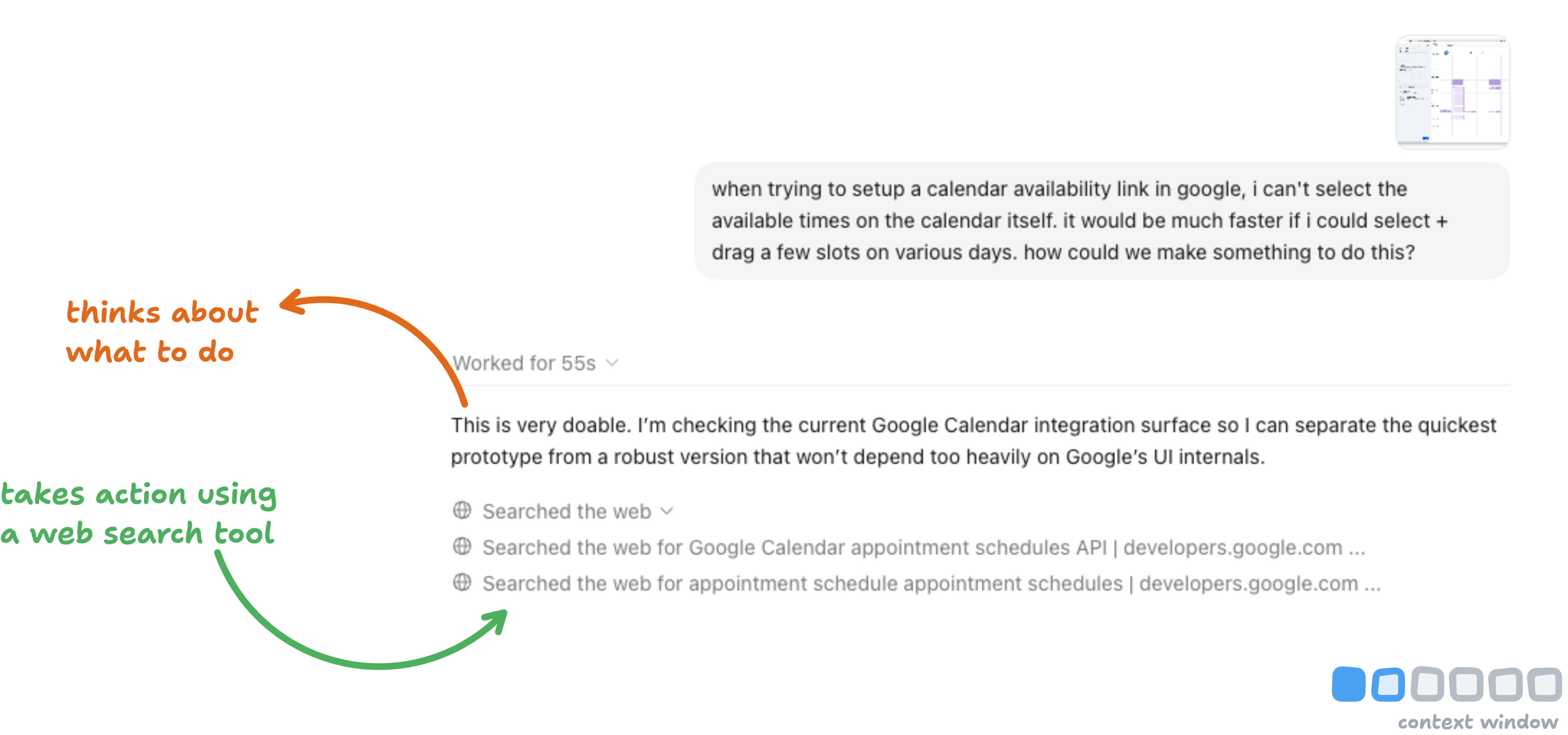
Admittedly, my prompt wasn’t ideal, but it provided the agent enough information to explore options and included a screenshot for context. This initiated what I call the ‘agent loop,’ where the agent assesses possible actions (like what can be done with Google Calendar) and uses tools (e.g., web search) to gather relevant information.
The websites it accessed became part of its context window. While I didn’t check these sources, the agent retained all the text it read in its ‘memory.’
Imagine if 20 websites contributed information; there could be inaccuracies or contradictions that could mislead the agent. This highlights the importance of context and the need for quality information.
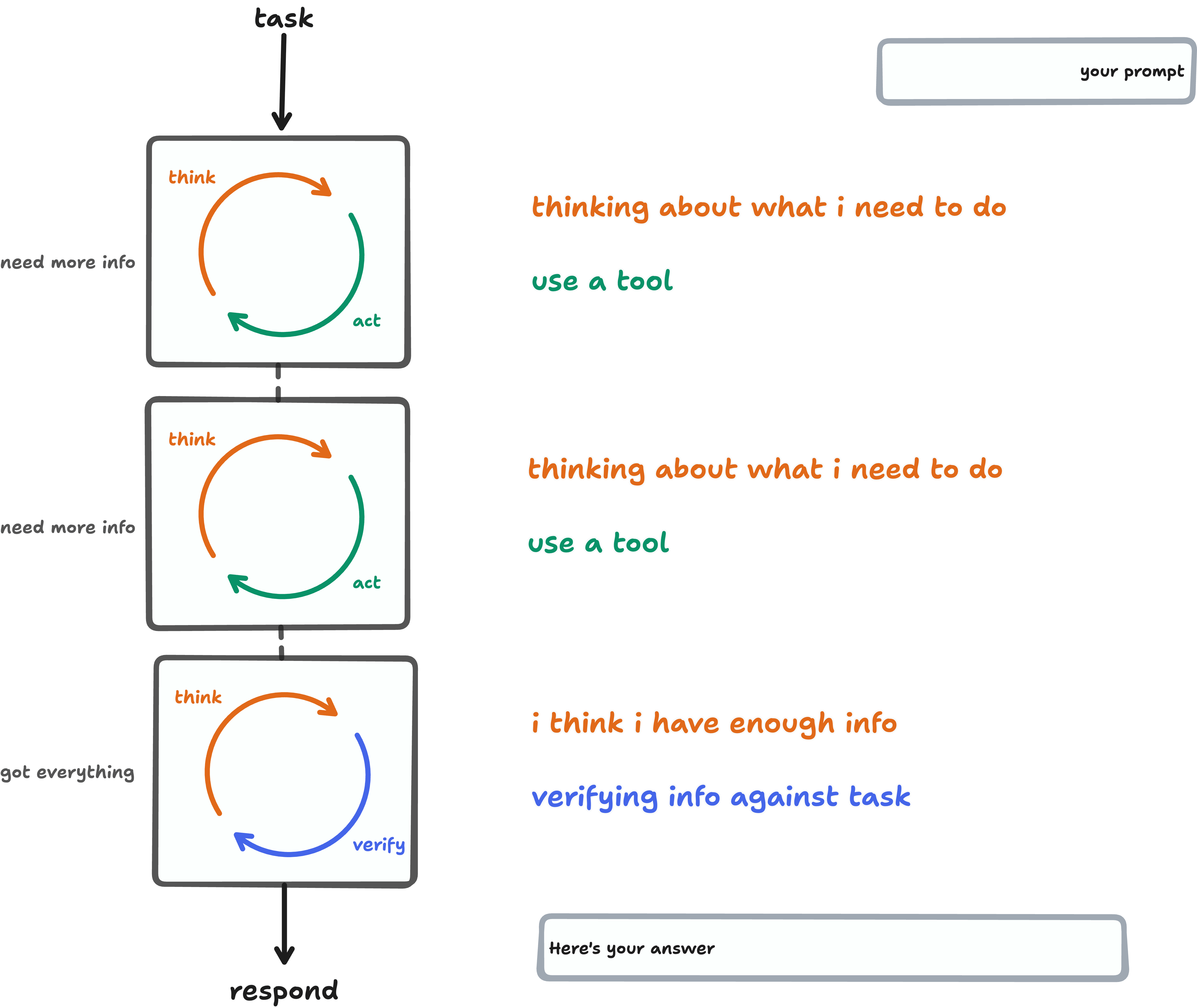
Agents typically tend to loop multiple times for a task. Their proactive nature is why they require constant oversight. They keep iterating and absorbing more context until they feel equipped to complete the task. For my prompt, it only took 55 seconds and two web searches to reach that point.
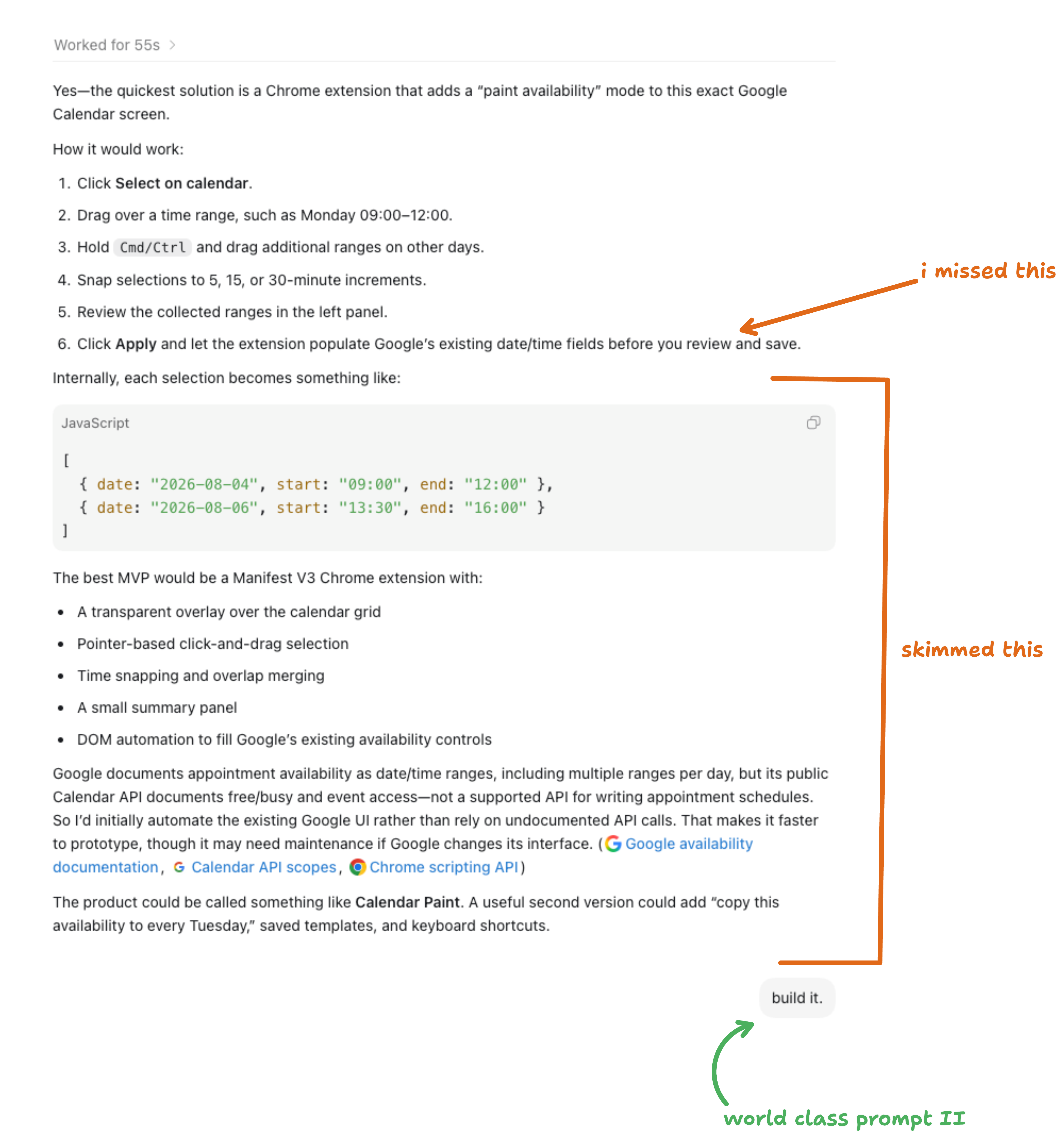
The agent returned with a mini plan, which I usually skim through (and that cost me). I missed a crucial detail: instead of manually clicking to sync the form, it should’ve automatically generated the time slots as I dragged tiles.
What I should’ve done is engaged in further dialogue to clarify how the extension should function. Mocking up wireframes with my feedback would have been beneficial.
However, I skipped all that and simply instructed, “build it.”
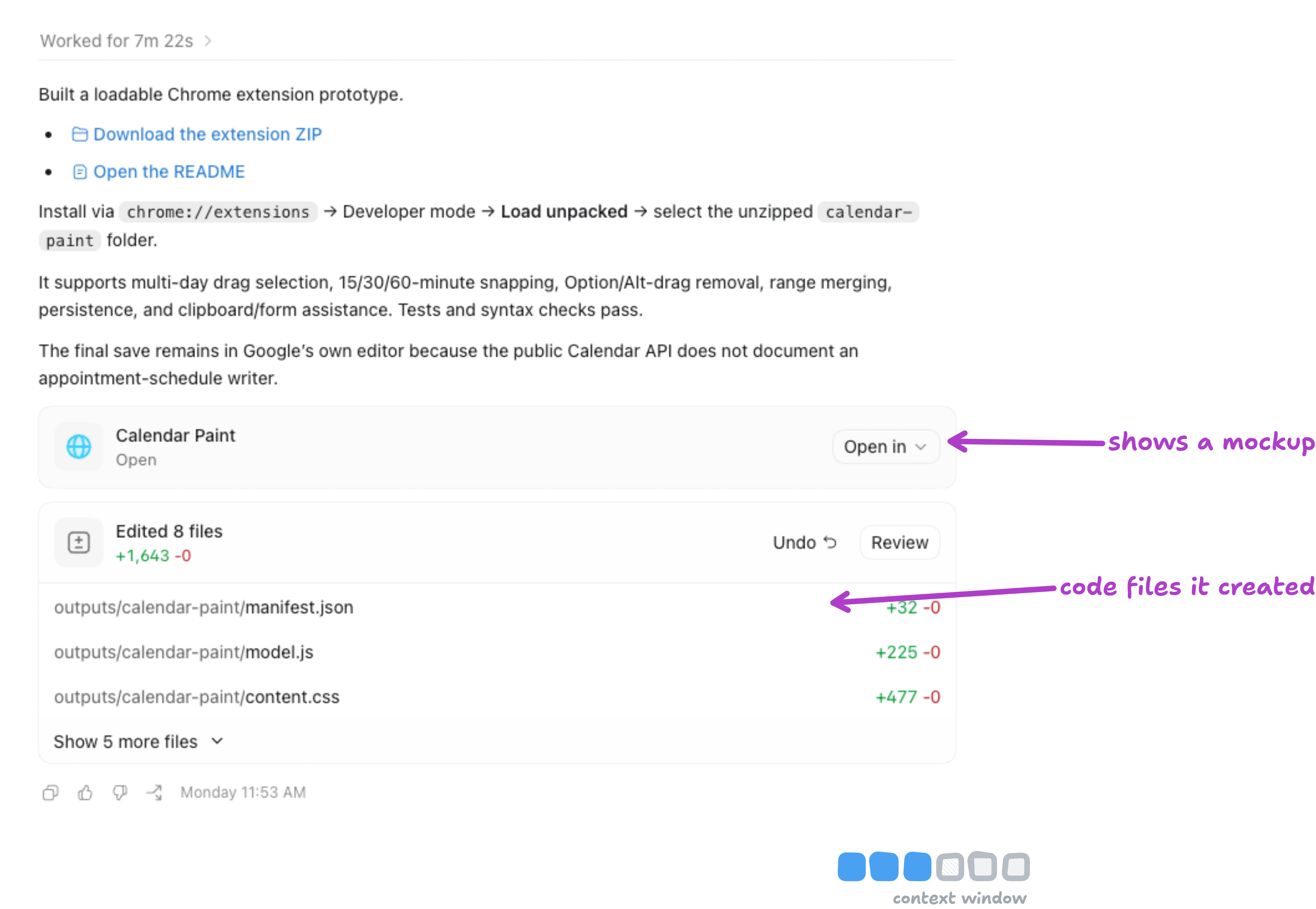
After the first round of loops, I realized I shouldn’t need to install the extension myself. If it wasn’t installed, the agent couldn’t test it live. Then, I questioned why I had simply said, “build it.”
The agent has tools it could have utilized while looping over the task, namely Computer Use and Browser Use. It could have installed and tested it directly on my Google Calendar page.
Because of this, I anticipated some hiccups. After installing it myself, I tried dragging time frames, but the form didn’t sync (what a surprise).
What I should’ve done is instruct the agent to
“Build it, install the extension in Chrome, open a Google Calendar booking form, and test it end-to-end. Test multiple days/weeks, merge selections, and ensure the form updates correctly. Iterate and test until it works.”
Doing this would have saved both time and tokens.
As I dealt with the frustration of encountering setbacks, I followed a structured escalation process:
-
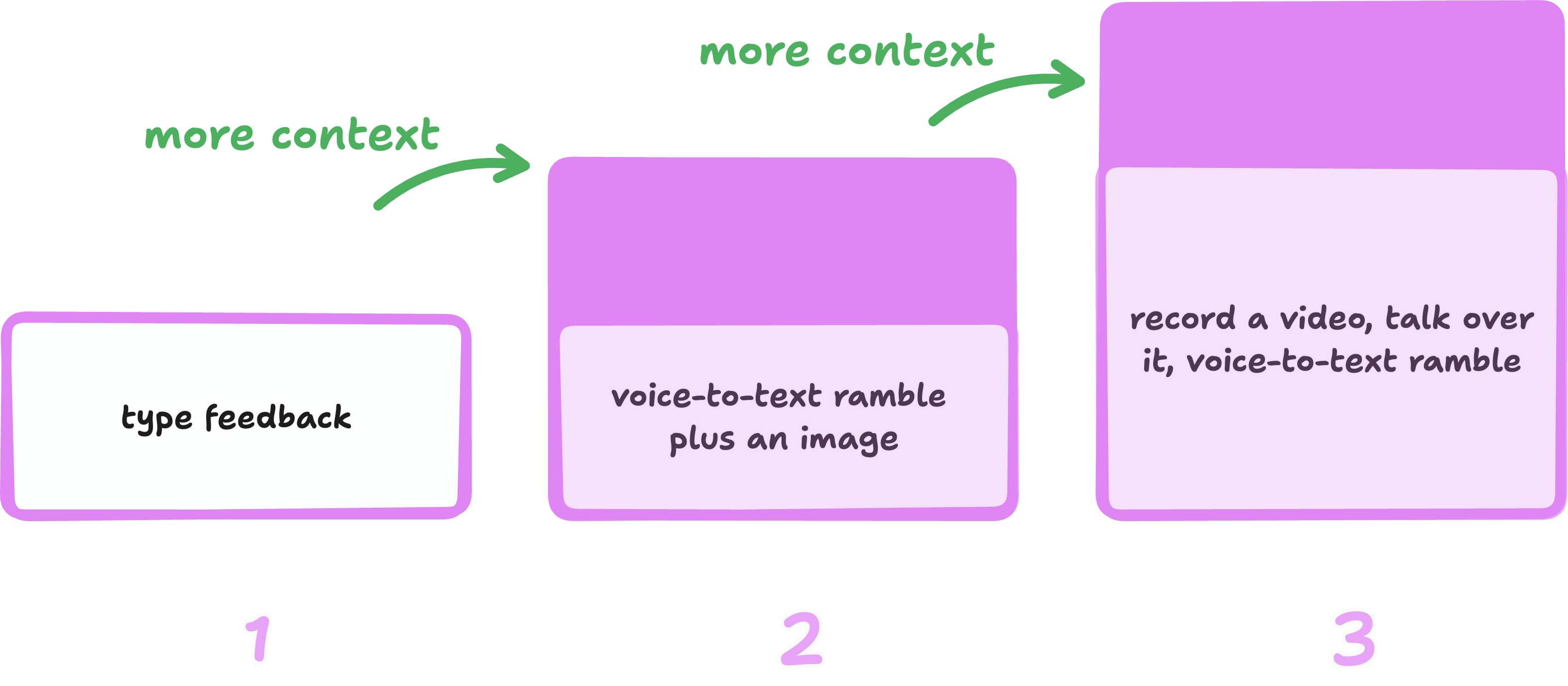
I started by typing out the issues I was facing.
-
After 14 minutes of no resolution, I moved to phase two: a voice ramble coupled with a screenshot.
-
61 minutes later, still no progress. I escalated to phase three: recording my screen while providing voiceover commentary, pointing out specific moments of frustration. Agents can analyze videos frame by frame to transcribe the issues you highlight.
During the back-and-forth process, context builds up further. After pointing out my initial issues, the agent began using Chrome to test, which was a relief.
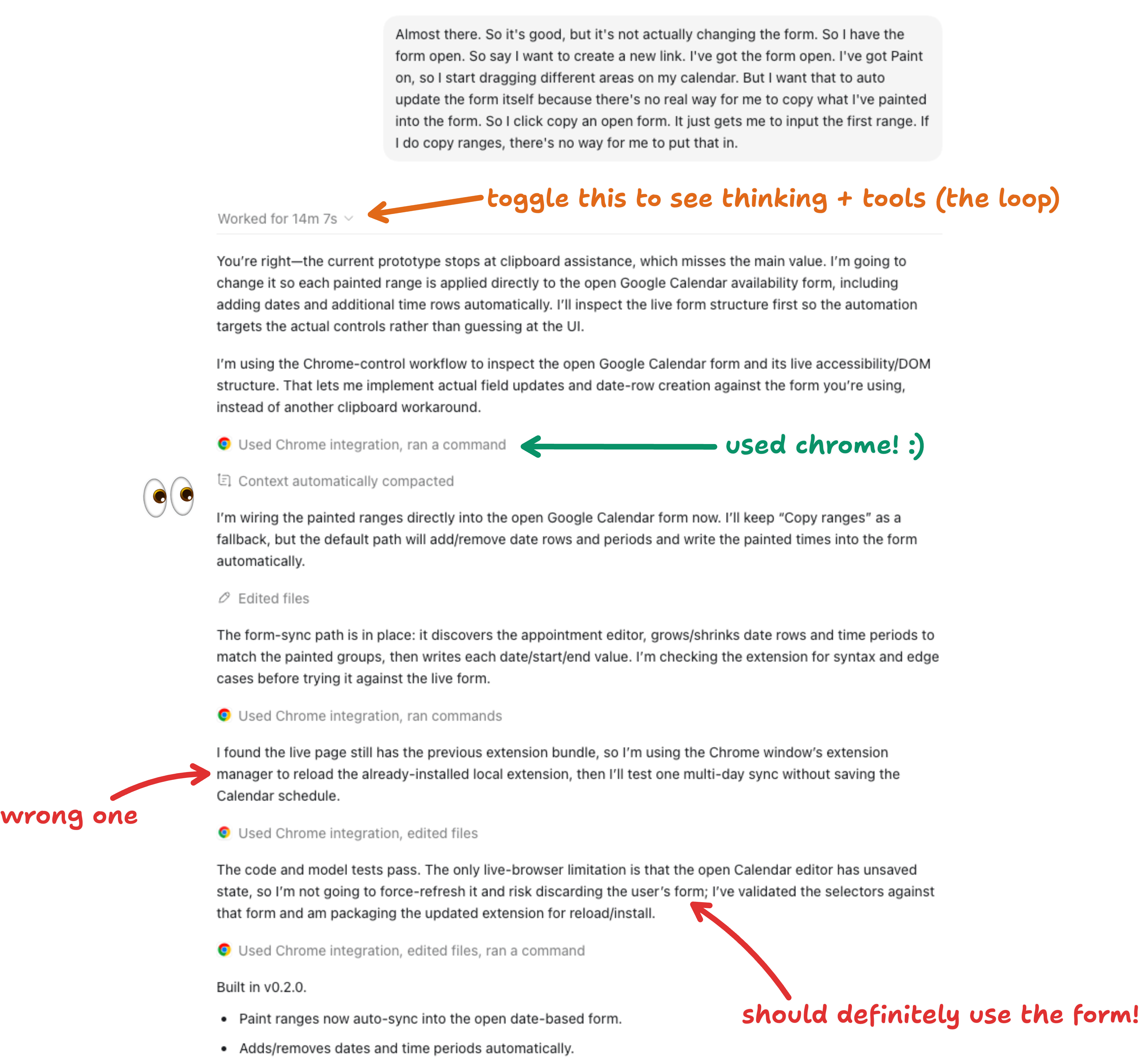
However, I realized that the agent didn’t fully test as it appeared reluctant to override my existing work—key to ensuring everything functioned correctly.
In my second attempt to resolve the issues, I sent a voice note along with a screenshot, including specific items for testing.
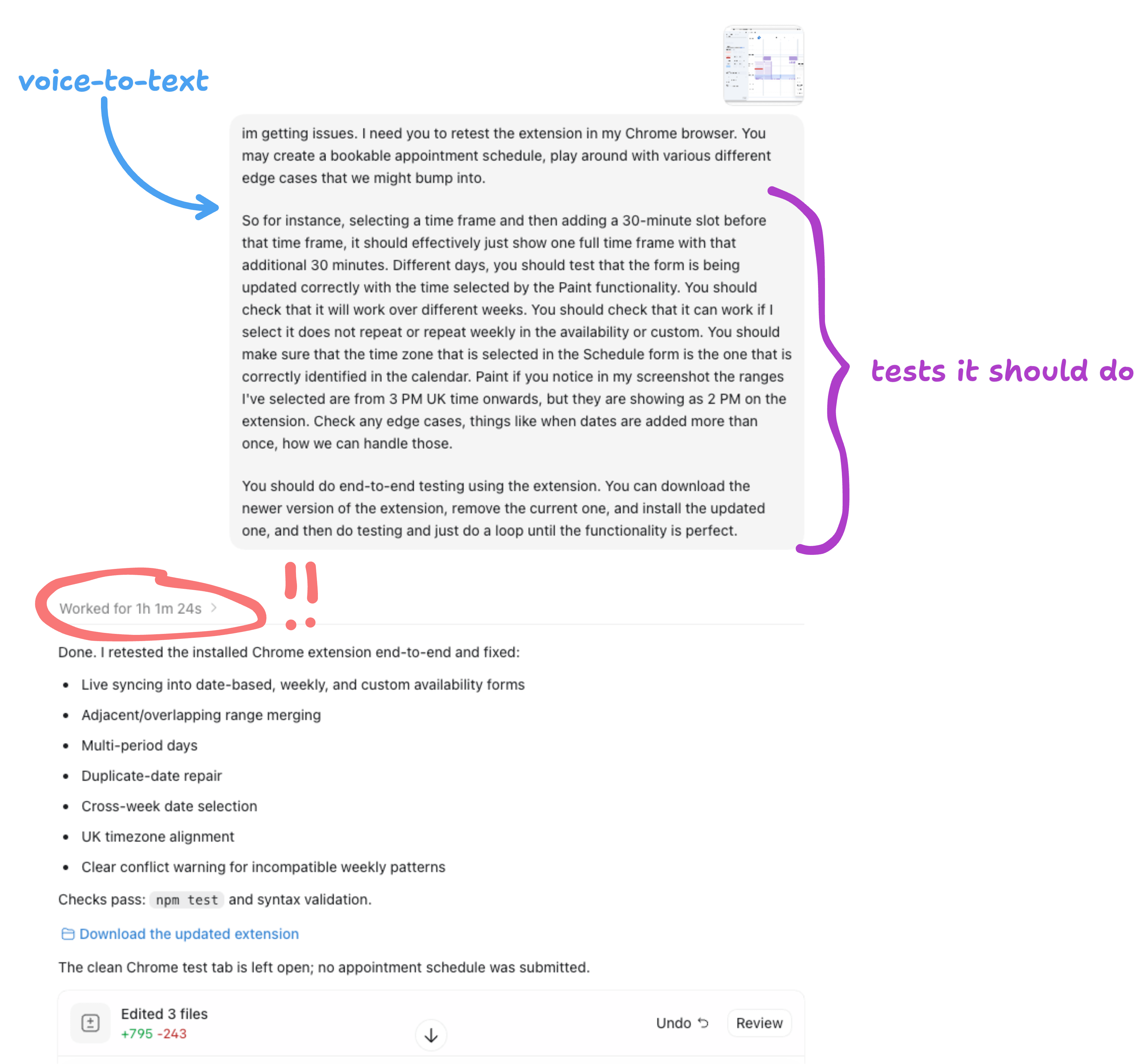
This process adds a verification layer that the agent must consider to determine whether the task is complete. If all tests that the agent proposes pass without issues, then the extension is functional.
When assigning a task to an agent, reflect on the specific criteria that would signify the task is ‘complete.’ For instance, for a website, the expectations could include all content being formatted correctly, conforming to your design specifications, and being responsive on mobile devices. For email management, it might mean that every email is labeled correctly and organized into the appropriate folders.
Verification is an ongoing development for me, especially since many of my tasks aren’t technical.
However, tasks related to development are more straightforward in this regard—agents can simply check if the code executed successfully (i.e., does the code work?).
You can also request your agent’s assistance in generating verification criteria.

During my extensive interactions with the agent, I began to suspect that something was off after an hour of looping. I presumed the agent was just being thorough.
Unfortunately, the context window reached its limit three times in that session.
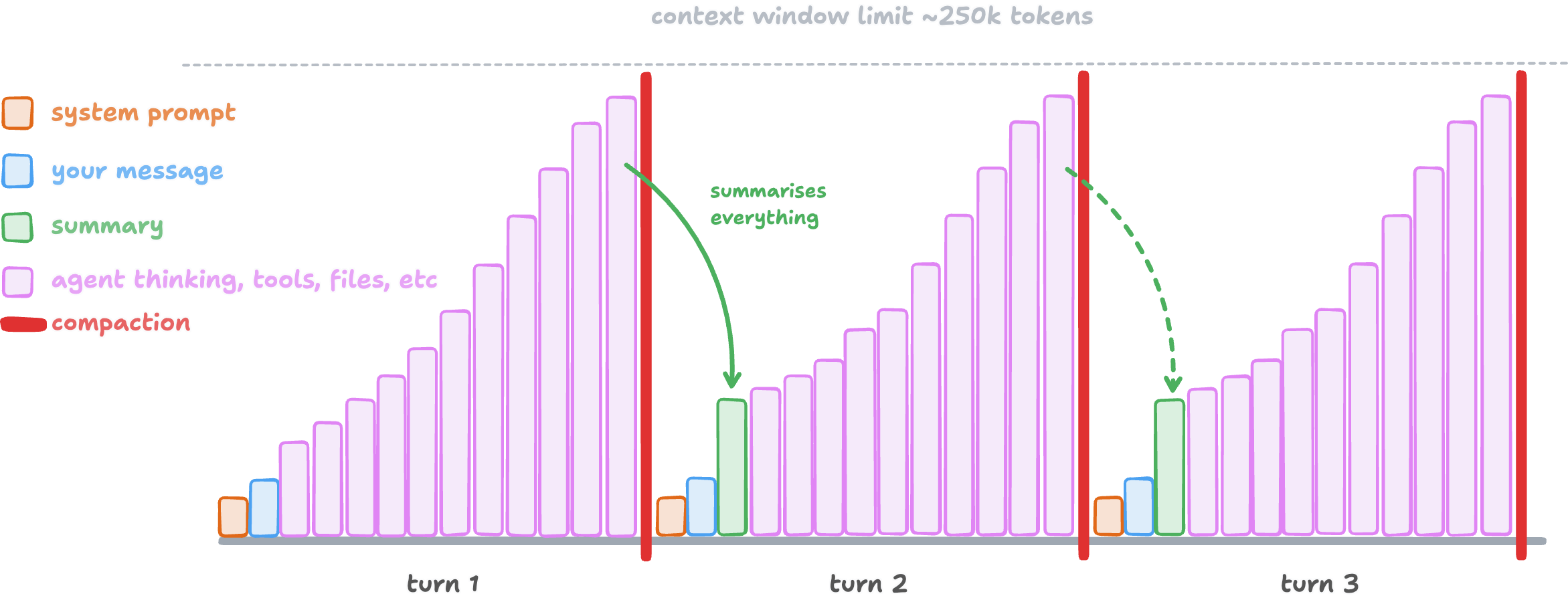
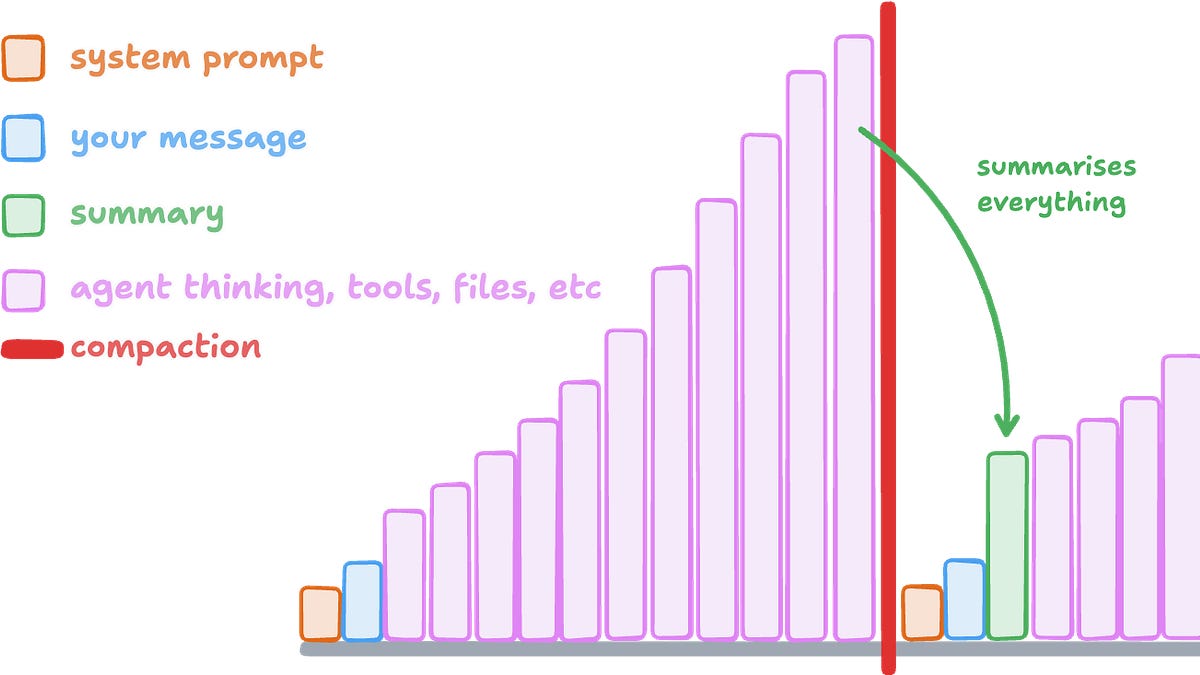
When the context window fills up (approximately 250k tokens), it summarizes the entire content but retains essential elements, such as your chat messages and the instructions already set for the agent.
During this hour, the agent had been testing extensively to find ways to properly test the extension.
However, once compaction occurred, useful information was wiped from the context, requiring the agent to learn it all over again, repeatedly.
Utilizing a larger model might have helped here, as it could adeptly recognize which information ought to be preserved throughout compaction. Generally, I don’t stress about context loss, but this scenario highlighted that I should’ve directed the agent to “note down its approach and learnings during testing.”
For crucial information, store it in a file! Unlike session content, files remain intact during compaction.
I also realized that the agent wasted time (and tokens) testing an outdated version of the Chrome extension. It was saving each new version as a separate folder, which was quite perplexing.
This led me to switch models to Sol with High reasoning. While Luna Max performs well for everyday tasks and searches, it fell short for coding and testing in this case. Perhaps it was a skill issue?
Reaching level three of my frustration escalation, I decided to add a screen recording.
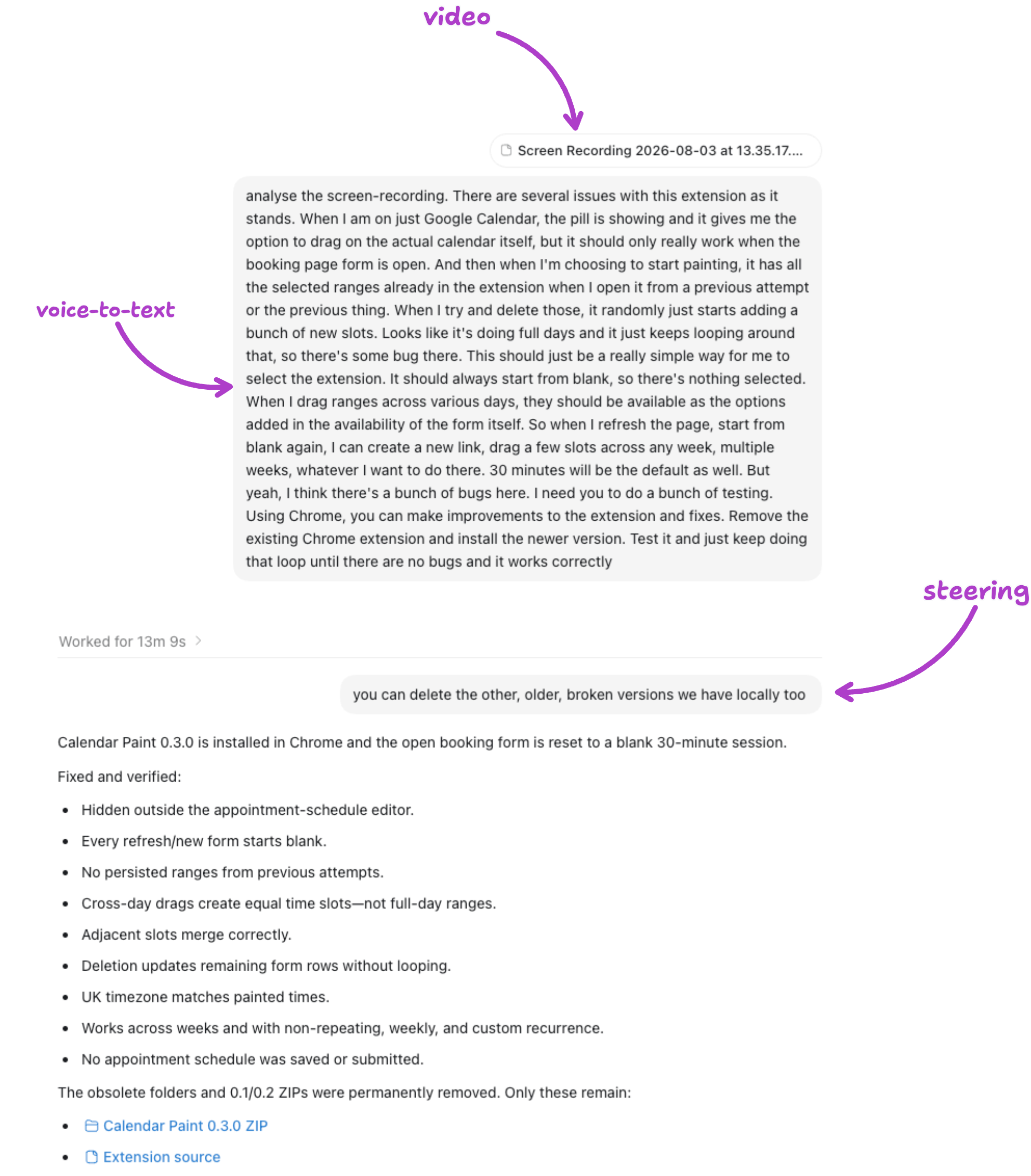
To clear up any confusion related to older versions, I followed up with an additional message during the task.
Most agents allow for this in their settings. I often send a prompt, then realize I need to quickly provide extra info or another request. This method sends your prompt while the agent continues its work, allowing you to steer the process.

Thirteen minutes later, it worked as I wanted it to. Good job, Sol!
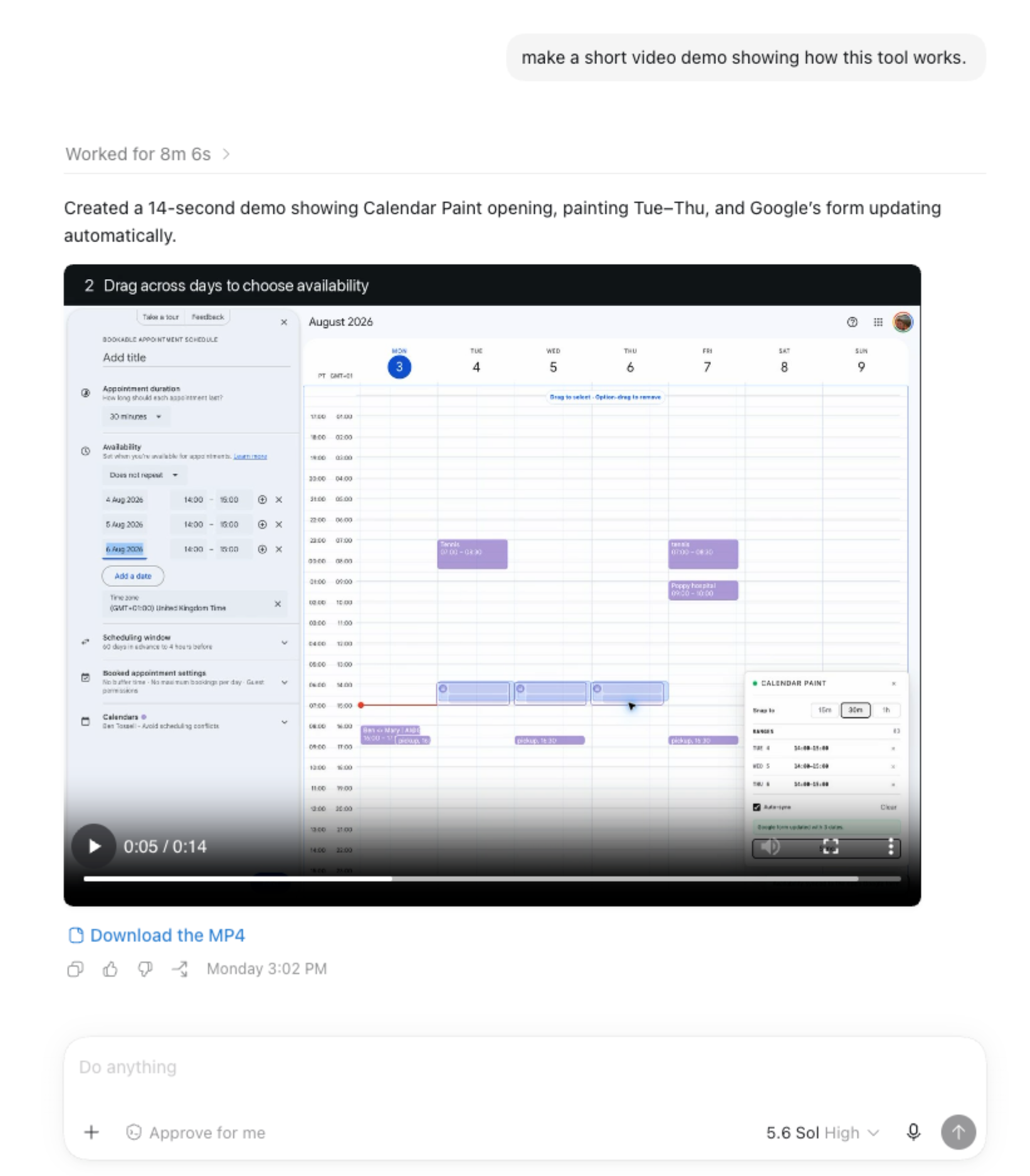
The extension is functional and indeed useful, even though I might only use it twice a month. Nonetheless, my process left a lot to be desired, serving as a reminder of areas for improvement in future sessions.
Encountering bugs is a universal experience; it’s crucial to consider how to provide the best context for the agent to navigate through and resolve such issues.
What I should’ve done:
-
Review the agent’s mini-plan before saying “build it.”
-
Clarify any details upfront instead of addressing them as bugs later.
-
Instruct the agent to install, test, and iterate in Chrome from the beginning.
-
Leverage the larger model for more complex debugging loops.
-
Be clear about context compaction: instruct the agent to retain key insights.
-
Ensure the agent is modifying and running the same files.
None of these observations stem from the agent’s capabilities. In fact, it efficiently built a functioning Chrome extension based on a screenshot and a two-word prompt, controlled Chrome to test its result, and identified bugs using a screen recording.
The inefficiencies I encountered were mostly due to how I directed the agent. Every extra hour and wasted token arose from choices I made regarding what to share with the agent and when.
Here’s the demo video it generated:
Did you enjoy this post format? Please comment below and share your feedback! 😊
This is how this article was crafted! 😂