EPOMAKER Split70 Review: The Ergonomic Gaming Keyboard I Didn’t Know I Needed
When it comes to PC peripherals, certain items become appreciated only after long hours of use, and one of those is an ergonomic keyboard. For years, I relied on conventional keyboards, placing my hands without much thought about ergonomics. The introduction of the EPOMAKER Split70 changed that perspective entirely.
What Is the EPOMAKER Split70?
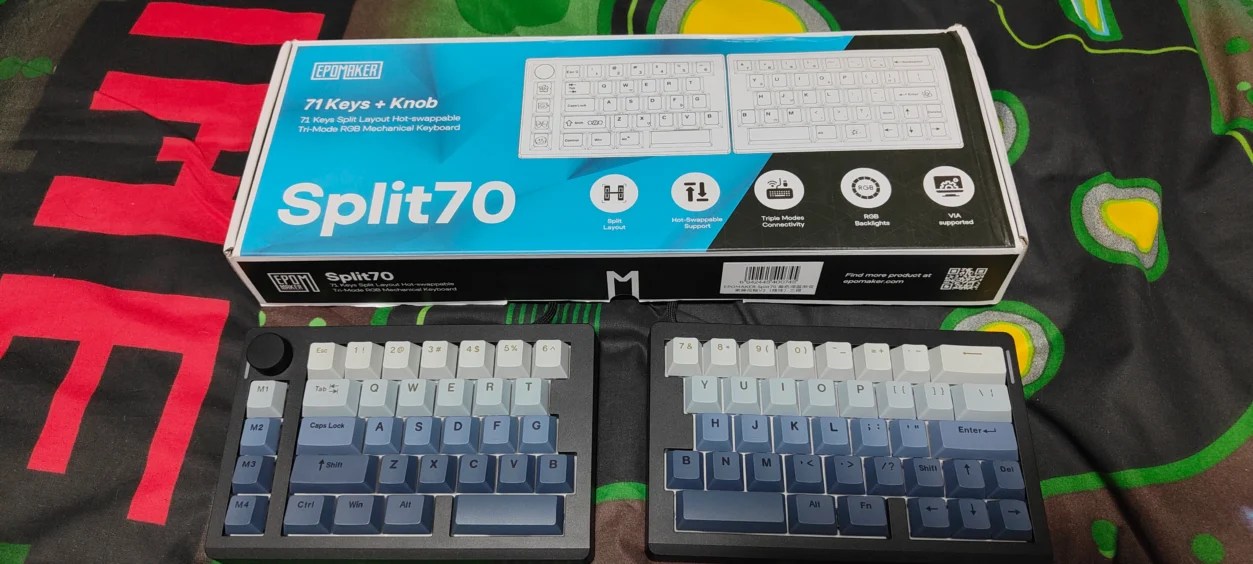
The EPOMAKER Split70 is a 70% ergonomic split mechanical keyboard featuring 71 keys and a dedicated rotary knob. Unlike traditional keyboards, the Split70 separates into two independent halves, allowing for customizable hand positioning, which promotes a more natural posture. This unique design incorporates features such as:
- Gasket-mounted structure
- Five layers of sound dampening
- PBT Cherry-profile keycaps
- Hot-swappable switches
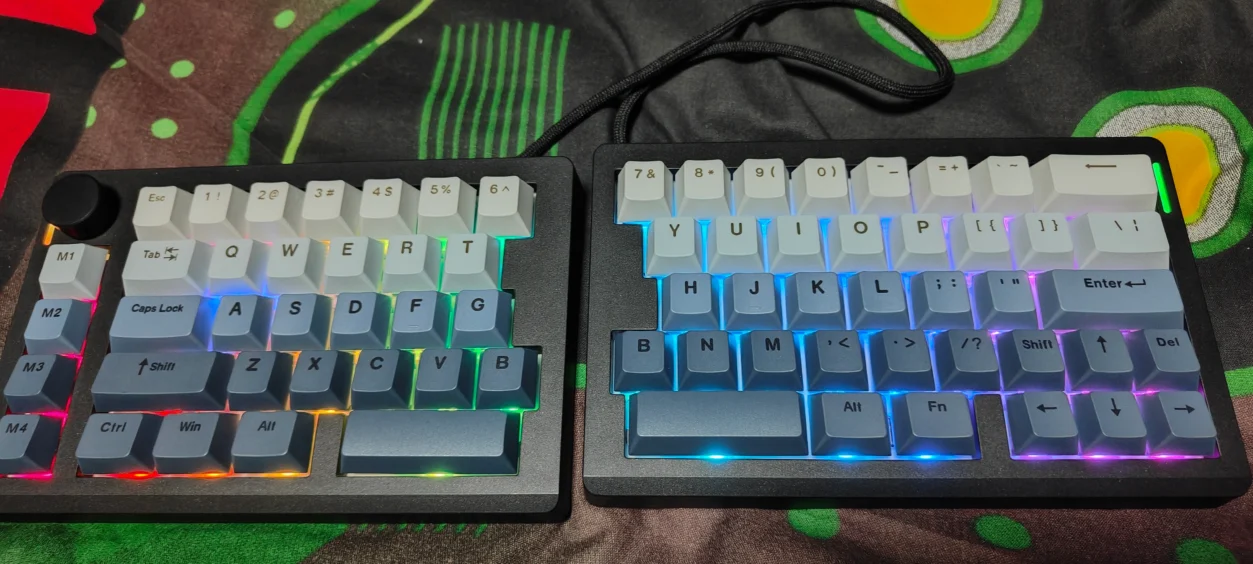
- Per-key RGB lighting
- Tri-mode connectivity
With a robust 3000mAh battery, EPOMAKER claims an impressive battery life of up to 260 hours without RGB lighting.
Design and Build Quality
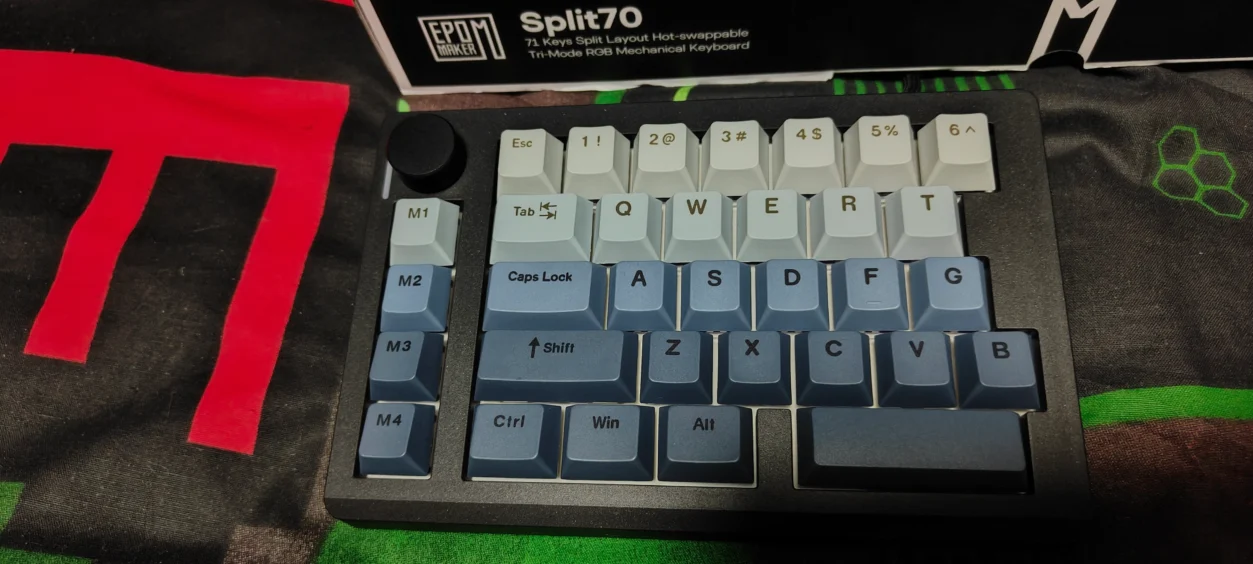
The Split70 stands out with its innovative design, with no long rectangular form factor common to traditional keyboards. This separation grants you the freedom to position your hands in comfortable angles, significantly impacting your typing and gaming experience.
71 Keys and a Rotary Knob
With a 70% layout and 71 keys, the Split70 offers more functionality than a compact keyboard without occupying excessive desk space. The rotary knob is particularly beneficial, allowing quick adjustments without needing to move your hand from the primary typing area.
Does the Split Design Make a Difference?
The transition to a split keyboard was initially challenging due to muscle memory associated with conventional layouts. However, after some adaptation, the difference became remarkable. You can position the keyboard according to your body rather than vice versa.
Everyday Typing Experience
The Split70 excelled in my typing tasks. The flexibility of the two halves allowed me to create more space for my mouse, thus improving ergonomics and efficiency during long working sessions.
Typing Feel and Sound
The Split70 features EPOMAKER Wisteria Linear V2 switches, known for their smooth operation and low actuation force. The five-layer sound-dampening structure effectively reduces unwanted noise, resulting in a more refined auditory experience compared to typical mechanical keyboards.
Gaming Performance
The Split70 performed admirably in various gaming scenarios, including titles like The Blood of Dawnwalker, 007 First Light, and Dragon’s Dogma 2. Although it may not cater to ultra-competitive gamers, it offers a responsive experience that’s adequate for most gameplay.
Using the Split70 with Photoshop
For creative tasks such as Photoshop, the Split70 proved to be an effective tool. Its layout and rotary knob provided enhanced flexibility, making it suitable for rigorous tasks requiring multiple shortcuts and quick commands.
Connectivity and Battery Life
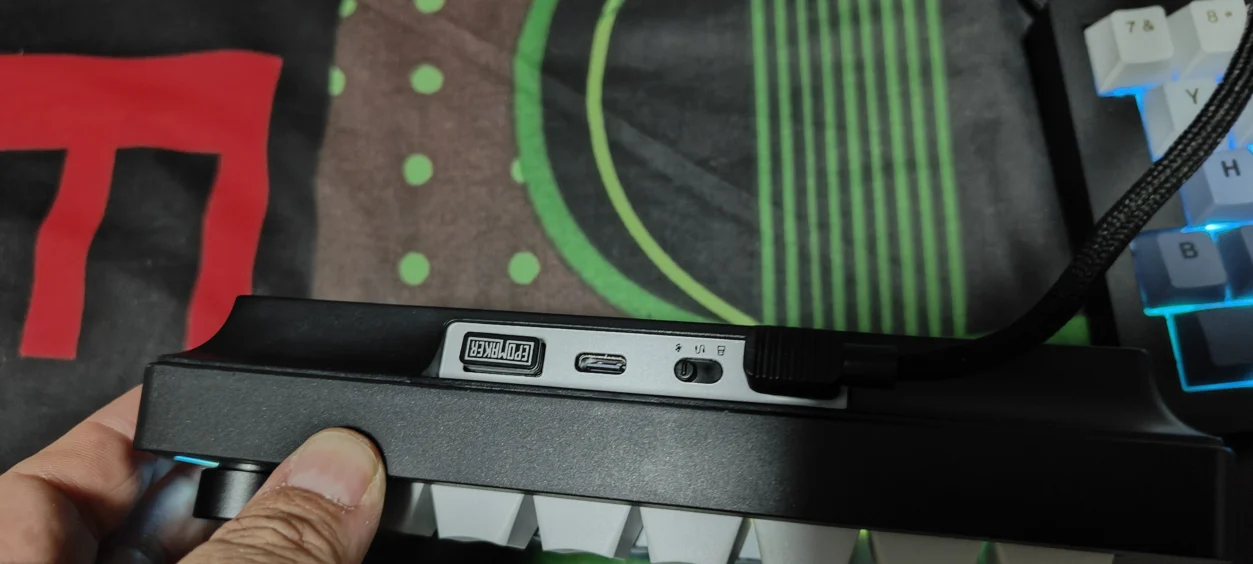
The Split70 supports three connection methods: 2.4GHz wireless, Bluetooth, and USB-C wired. The 3000mAh rechargeable battery can last up to 260 hours without RGB, though continuous usage with RGB enabled is approximately 11 hours.
Hot-Swappable Switches and Keycaps
The hot-swappable PCB allows for easy customization of switches. The PBT Cherry-profile keycaps offer durability, resisting the wear that often afflicts lesser keycap materials.
EPOMAKER Split70 Software
EPOMAKER’s browser-based configuration allows easy remapping and adjustment of lighting effects, making keyboard customization straightforward and hassle-free.
What I Like About the EPOMAKER Split70
- Ergonomic Split Design
- Excellent typing comfort
- Compact 70% layout
- Effective sound dampening
- Versatile connectivity options
What Could Be Better?
- Steeper learning curve due to the split layout.
- No traditional number pad may deter some users.
- Battery life expectations need to be managed regarding RGB usage.
Who Should Consider the EPOMAKER Split70?
This keyboard targets users who utilize their PC for multiple purposes—gaming, writing, graphic design, and long productivity sessions. The flexibility of the design allows for a personalized workspace that can adapt to your needs.
Review Verdict
The EPOMAKER Split70 has exceeded my expectations. Its split design promotes comfort while typing or gaming, and the keyboard feels responsive and robust. While it may not cater to ultra-competitive gamers, it provides an excellent balance for general gaming and productivity tasks.
If you’re looking for a keyboard capable of accommodating various uses, the Split70 is worth considering. Just ensure you’re open to adapting to a split layout.
Quick FAQs
- Is it good for gaming? Yes, it supports 1000Hz polling and performs well for RPGs and general gaming.
- Is it good for typing? Absolutely; the ergonomic design enhances comfort during long sessions.
- Is there wireless functionality? Yes, it offers 2.4GHz wireless, Bluetooth, and USB-C options.
- Can I change switches easily? Yes, the keyboard features hot-swappable switches.
- How long does the battery last? Up to 260 hours without RGB, around 11 hours with it enabled.
The EPOMAKER Split70 merges gaming performance, comfortable typing, and ergonomic design into a well-packaged offering. If a split keyboard fits your needs, the Split70 is an excellent choice.


