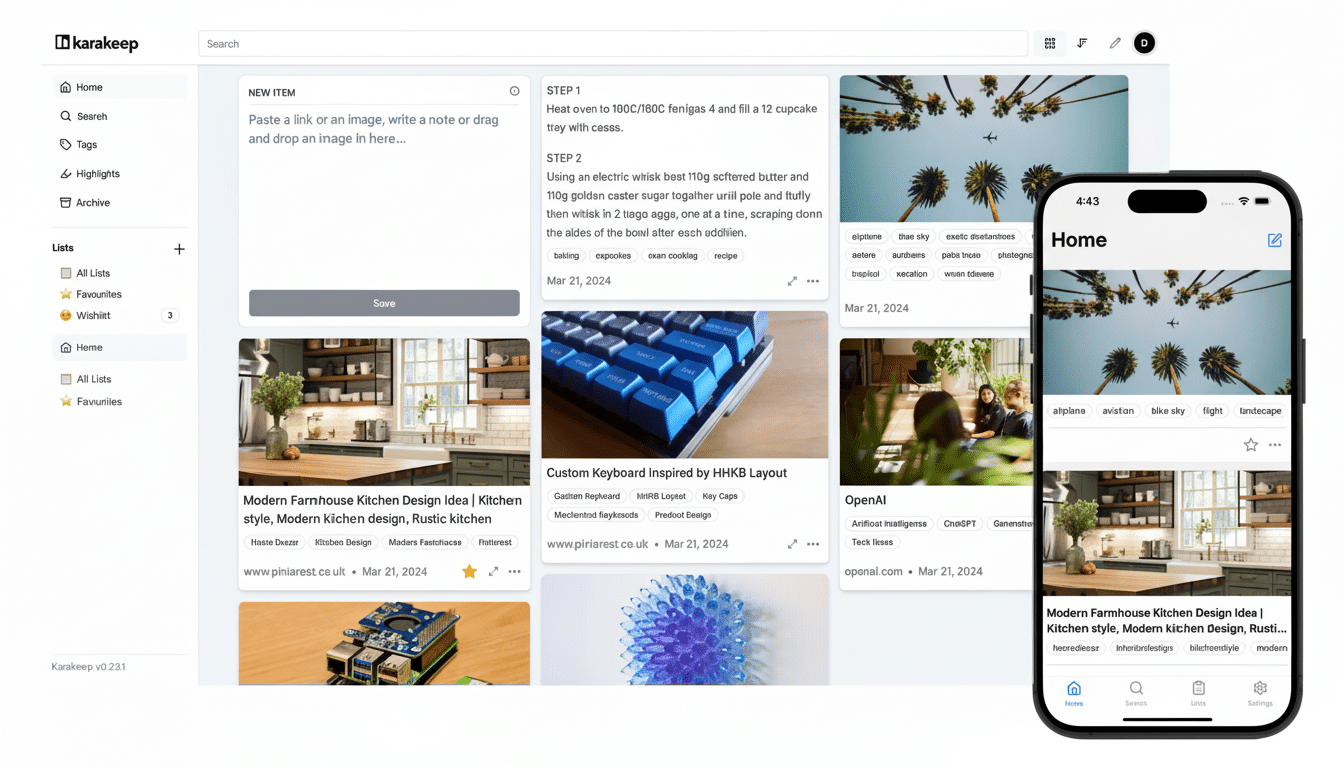
Managing numerous browser tabs can often feel like an overwhelming challenge. However, I discovered a solution that transformed my chaotic browsing experience into a well-organized system. The answer wasn’t just another tab group or a new minimalist browser; it was Karakeep. This AI-enhanced bookmarking and archiving tool converts open tabs into a structured, searchable repository of knowledge, saving me from falling into the same endless browsing patterns day after day.
How AI Finally Tames Tab Overload and Clutter
The presence of countless open tabs often signals a struggle with information management: save it now, read it later. Research from the University of California, Irvine, indicates it takes approximately 23 minutes to regain focus after switching contexts. Additionally, usability experts from the Nielsen Norman Group have long cautioned that cluttered interfaces can elevate cognitive load. Thus, the chaos is not just visually displeasing; it can also drain your attention resources.
Karakeep addresses the overcrowding without blaming the user. When I save a webpage, it automatically generates keywords and a summary using my selected AI provider. This process converts an amorphous backlog into organized data that is easily searchable. Whether I’m looking for deep-learning resources I saved last winter or woodworking plans, those tags help me retrieve them swiftly, even if I’ve forgotten the original titles.
In addition to links, Karakeep can store full-text documents, PDFs, and screenshots. This feature is critical since web content can deteriorate over time; the Internet Archive has documented extensive link rot affecting news articles, blogs, and documentation. By enabling snapshots, I shield myself from disappearing pages and sudden paywalls.
The built-in rule engine is where Karakeep starts to feel truly like an assistant. I’ve configured rules that automatically categorize anything from YouTube into a “YouTube” list. Once the AI assigns tags, I can further organize videos into sublists like AI, 3D Printing, or Woodworking. The original content is archived, allowing my main view to remain uncluttered. It functions similarly to Gmail-style filtering, with AI managing the heavy lifting.
A practical detail that surprised and pleased me: Karakeep retains YouTube thumbnails in the interface, making it much easier to sort through content than by merely reading small tab titles. While I’d appreciate if it also displayed video durations, the thumbnails alone have diminished my indecision about where to begin.
Cloud Convenience or Full Control for Your Library
Karakeep offers two modes of operation. The cloud-based version provides the quickest setup: a Pro plan unlocks advanced AI features and allows you to save tens of thousands of items with ample storage. During testing, the Pro tier supported up to 50,000 bookmarks and 50GB of files for a reasonable monthly fee, which is particularly beneficial for heavy researchers.
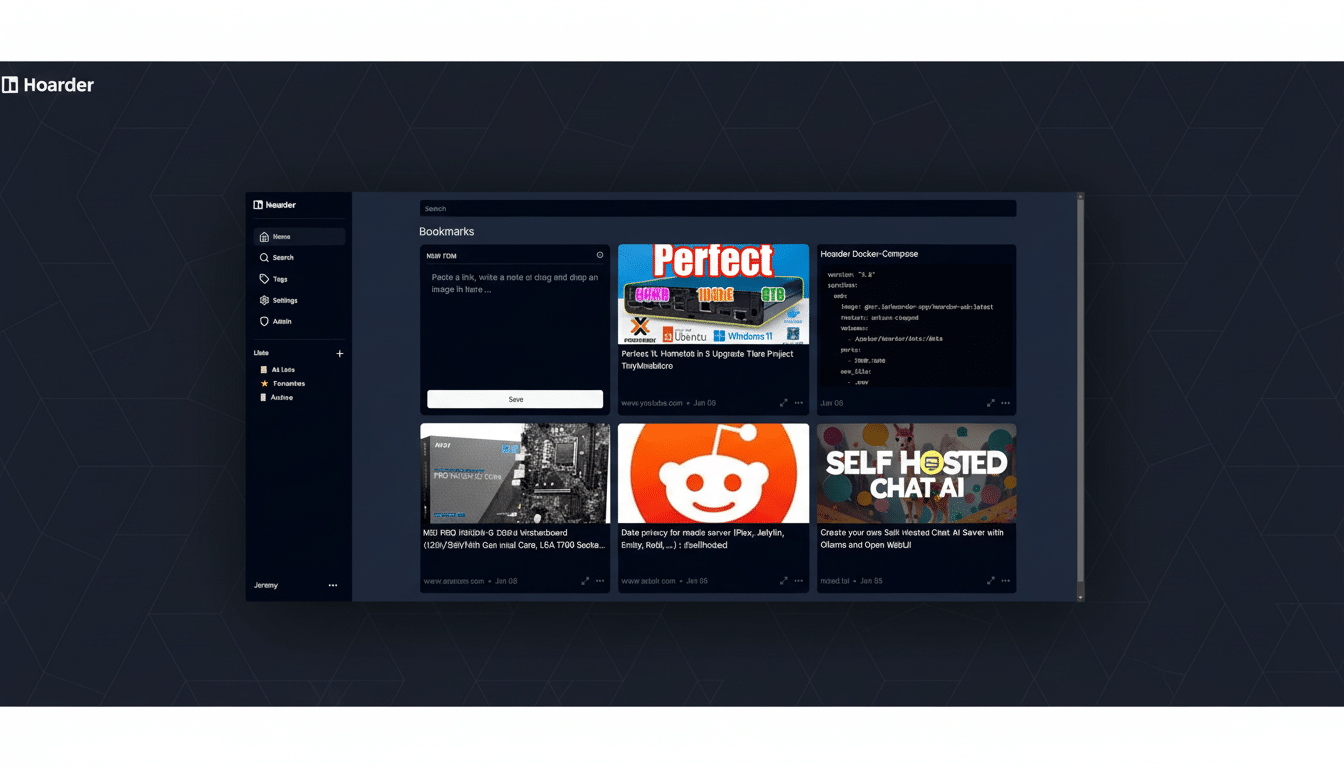
If you prefer a more hands-on approach, the open-source, self-hosted version runs smoothly in Docker across Windows, macOS, or Linux. I installed it on an older Intel Mac Mini, and the performance was seamless with straightforward updates. While you’ll need to provide your AI API key for tagging and summaries, the associated costs were reasonable; transferring around 25,000 saved pages and auto-tagging them with AI cost roughly $40 in usage fees. For regular use, my tagging workload hardly exceeded a $5 monthly top-up.
Real Gains You Can Measure in Daily Workflow
Searching through my organized data feels distinctly different. I can filter results by tags, lists, or full text, and I can add notes for future reference. Articles that I’ve already read are archived—still searchable but out of my immediate view. This organization leads to a home screen that reflects future tasks rather than a reminder of what I neglected to close.
The benefits are tangible. Workplace studies confirm how significant this can be: Asana’s Anatomy of Work report estimates that employees spend more than half their time on “work about work,” including searching for information. By transforming a disorganized tab collection into a labeled library, Karakeep streamlines the search process, reducing the mental burden associated with managing overload.
Setup Tips That Make It Click from Day One
Begin with a single capture habit. Install the browser extension and choose default settings: save the full text, PDFs, and screenshots for anything you anticipate needing later. Then, establish three lists that you know will be useful (for instance, YouTube, Research, and Keepers) and create one rule that automatically organizes YouTube content.
Allow AI to handle the initial tagging, but supplement it with a couple of custom tags that you think you’ll want to search for later, such as “How-To” or “Case Study.” Over a week, you’ll notice patterns, which is the right time to introduce specific rules that categorize items into topic-specific lists once AI tags are generated.
The Bottom Line: Lighter Tabs and Stronger Recall
Karakeep doesn’t require you to change who you are. It discreetly captures, categorizes, and organizes the content you were already saving, bringing it back to you when needed. My browser now feels lighter, my recall has improved, and my research efforts finally feel cohesive. The tabs didn’t disappear; they simply began to operate more effectively.