Welcome to my weekly builder’s log, where I’ll share the projects I’ve worked on, what went smoothly, and what didn’t. My goal is to inspire you with something you can experiment with this weekend!
I’ve contemplated starting this log for weeks, wanting to visualize the outcome before jumping in. That was just procrastination on my part.
To motivate myself, I promised not to open my new MacBook until this log was sent out 🥹. Your feedback will be greatly appreciated if you enjoy this format and what you create!
-
Embrace the builder mentality.
Last week, I hosted a workshop that attracted 1.3k participants [and I plan to host more]. Unfortunately, I faced technical issues with Codex during the session, prompting me to invest in a new MacBook. I envisioned creating a cookbook to cover everything discussed.
However, I ended up with a rather dull step-by-step tutorial. I began to wonder: are you likely to read through it and then switch to your tool? Perhaps, but it’s not ideal.
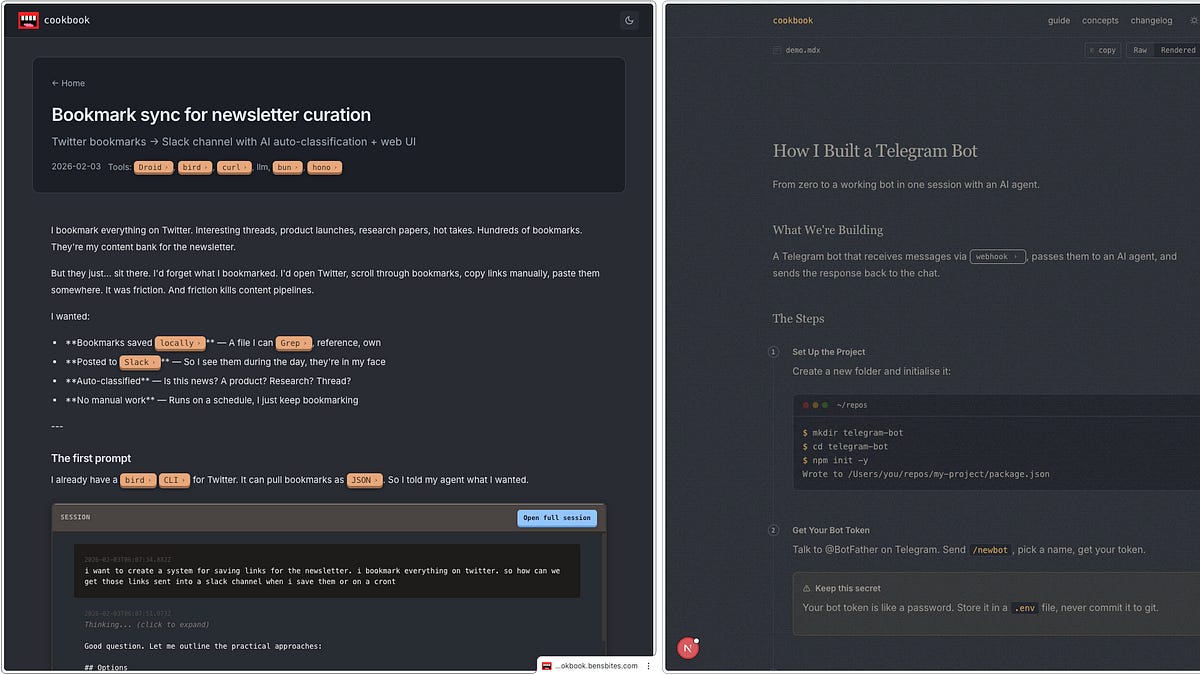
Instead, I’ve been developing an interactive cookbook that you can give to your agent. This book teaches you while you’re building.
By the end, you’ll have created and deployed your own site, learning new concepts along the way. This cookbook is still a work in progress, so consider this an alpha version 0.1. I’d love to hear about your experiences, your site’s appearance, and any shortcomings you encountered so I can make improvements.
Here’s what to do:
-
Launch the Codex/Claude Code desktop app
-
Create a new project folder
-
Initiate a chat session in that folder
-
Copy this URL (the instructions) into your agent and hit enter:
https://gists.sh/bentossell/a4e5e7048e8a355ec56cf3db86169ae2
I strongly recommend reviewing the agent’s output to see its thought process between your prompts.
Populate your site with any concepts you’re not yet familiar with and share them—I’d love to see what you come up with.
Disclaimer: Codex may produce less visually appealing designs than Claude.
-
Visualize skills.
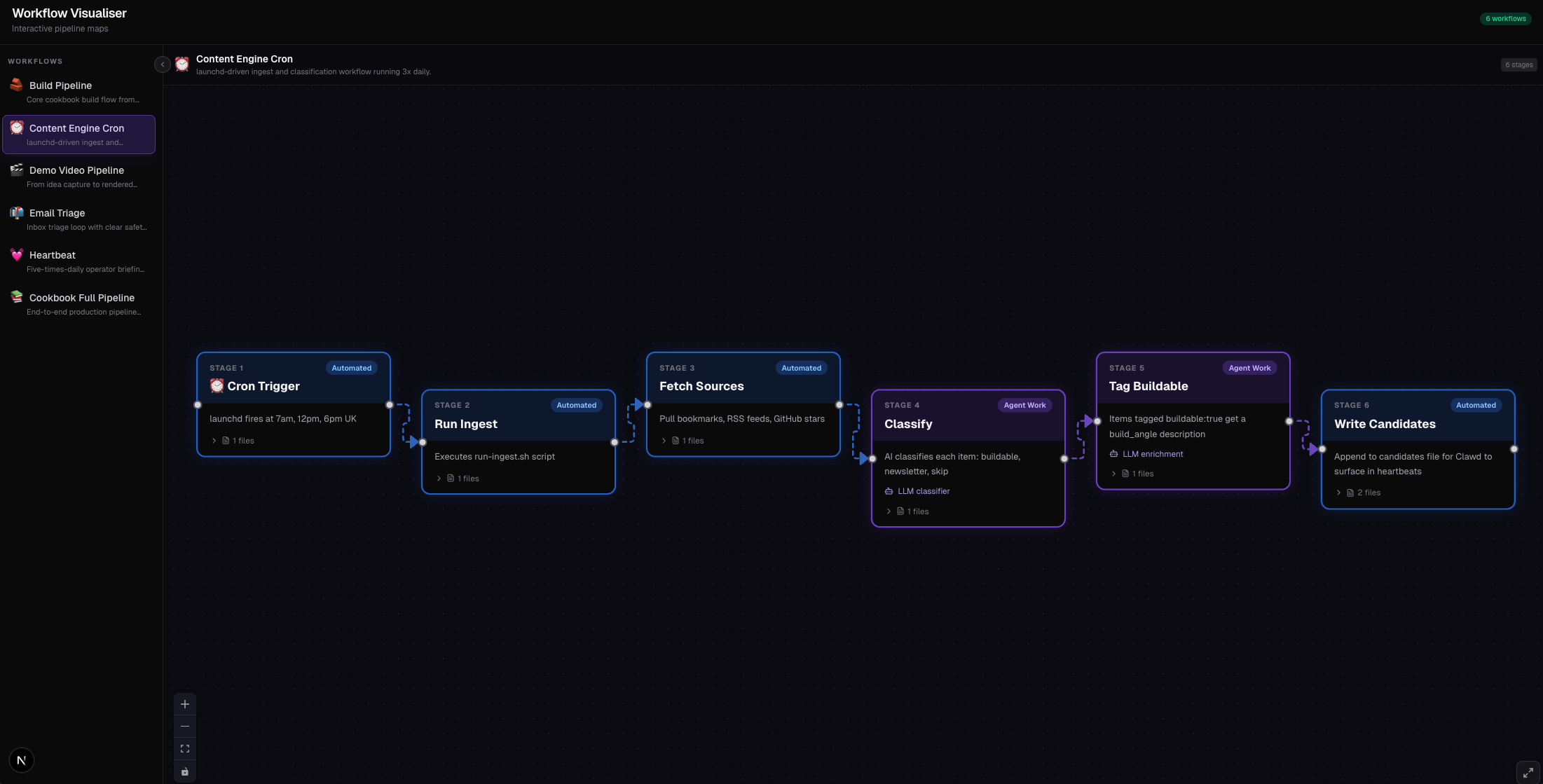
One challenge from the above cookbook was the visualizations. They are incredibly helpful in understanding code systems.
My initial attempts were subpar, but then Claude released their visualizations yesterday—perfect timing!
I reverse-engineered Claude’s approach and created a skill that can be added to any agent. While Codex may still have a design bias, it’s substantially enhanced with this skill, trust me!
This is my first GitHub project to surpass 200 stars!
Simply provide your agent with the link and say, “install this skill.”

Ben Tossell@bentossell

Claude @claudeai
Claude can now create interactive charts and diagrams directly in chat.
Available today in beta on all plans, including free.
Try it out: https://t.co/tHPAZRgQkn
9:49 PM · Mar 12, 2026 · 133K Views
19 Replies · 42 Reposts · 771 Likes
-
Introducing Ben’s Bites Cookbook site
Another redesign is underway.
The previous cookbook site was bogged down with redundant features from outdated versions, so I decided to rebuild it from the ground up.
With coding being nearly free nowadays, why not?
It’s not completely finished yet, but I’m getting there. This site will serve as a repository for valuable documentation to assist you in your building projects, along with insights into my development process.
Still a work in progress! It isn’t live yet and definitely needs another design critique, especially concerning contrast.

Models I use. I always mix them up.
-
GPT 5.4 XHigh for all ‘proper code’ – new features, new ideas, etc.
-
Opus 4.6 – for planning, research, less technical tasks, and design (always).
Command Line Interfaces (CLIs)
-
Droid for projects that require rigorous building (their new missions feature is fantastic; it can run for hours autonomously and implement end-to-end solutions). I have invested in the company.
-
Pi is my new favorite. It’s incredibly fast and lightweight, allowing your own instructions to guide it more effectively than with others.
Both options let you seamlessly switch between GPT ←→ Claude models (or Gemini, etc.) in one conversation.
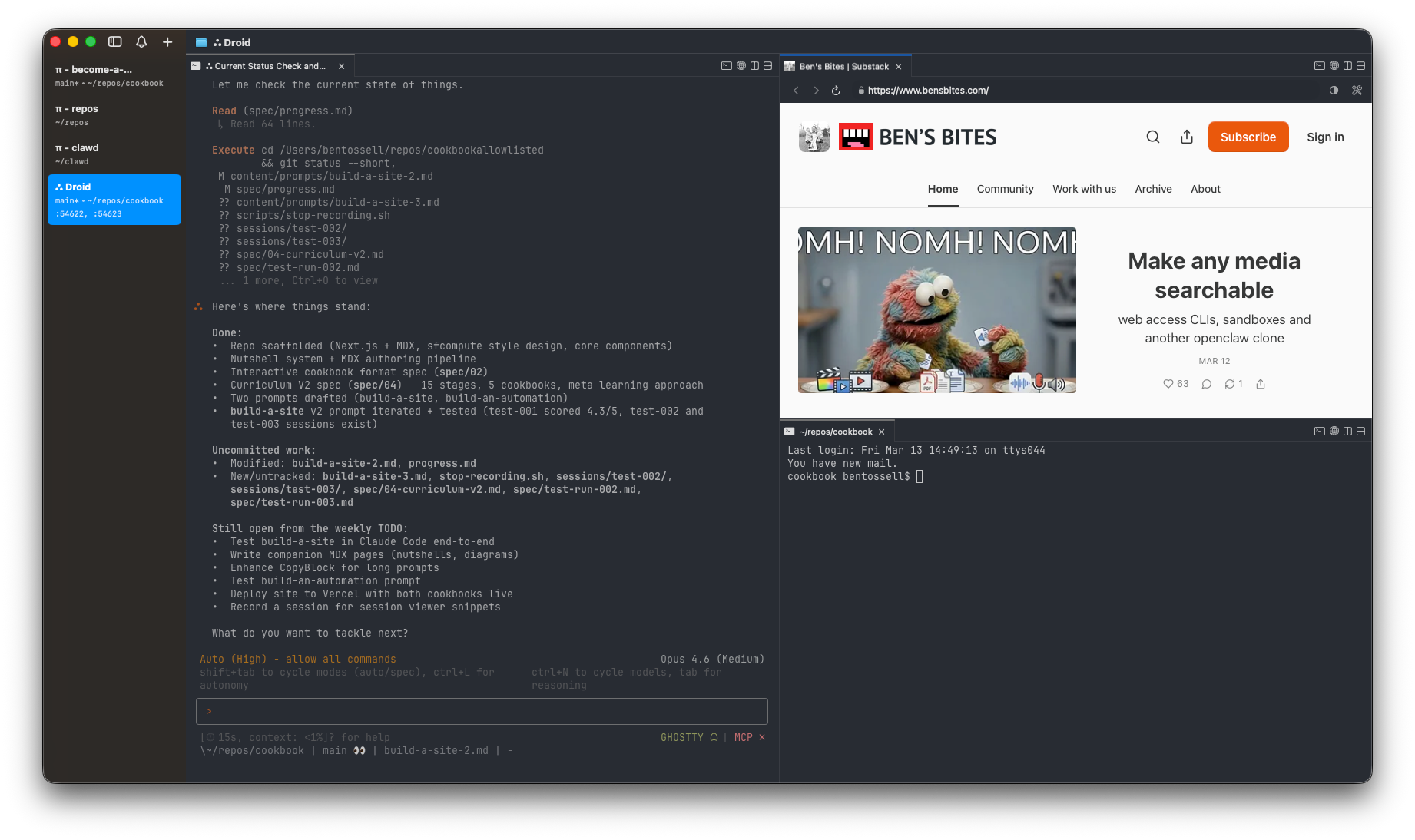
I exclusively use these tools in the terminal. Previously, I employed Ghostty as my terminal app, but I now favor Cmux, which integrates Ghostty and offers a neat sidebar for organizing chats, draggable panels, and a built-in browser. However, I do wish it had a simpler way to view my files—until then, I rely on Zed for that.
Agent Applications or whatever we call these 3-panel agent interfaces;
-
Codex app – a user-friendly interface that is very approachable.
-
Claude Code/Cowork on the desktop app – I rarely use these, but have done some testing this week. I’m not completely sold yet.
-
T3 Code – it’s responsive and supports multiple agents, though for now only Codex is available. Until it integrates with other agents, I’ve not found it compelling enough to reach for over Codex for GPT tasks.
Skills
-
agent-browserfrom Vercel-
My go-to for my agents. It launches a Chrome browser, analyzes my site, captures screenshots, navigates, clicks, records the screen, etc. It mimics human behavior. The ‘
dogfood’ tag captures all errors and generates a report for fixes. However, it struggles to bypass sites with Cloudflare ‘bot detection’—like OpenAI. The irony isn’t lost on me.
-
-
react-doctorfrom Aiden [link]
What about skill prompt injection?
This is a possibility, but I haven’t encountered it personally. Always use trusted sources like Skills.sh (from Vercel). You can also ask your agent to recreate the skill and check for any security concerns. The Codex app offers acreate-skillability—just ask your agent!
Other tools
-
exe allows you to easily set up virtual servers and includes a built-in agent to assist if you get stuck. It has significantly boosted my comfort level with servers—something I previously struggled with.
-
here.now is perfect for quickly creating sites for various ideas or just to display information nicely for easy access. It’s a free tool that provides custom URLs in no time.
-
Vercel and Cloudflare are currently at odds in my workflow. I have half of my deployed sites and domains on both platforms. I’m leaning towards Vercel as I utilize many of their tools and skills, but that could easily shift.
-
gists.sh is a nifty tool. GitHub’s ‘gists’ allow for quick file sharing via a URL, which agents can easily read, but the interface is less appealing. Gists.sh improves this sharing experience— just like I did with my interactive cookbook.
Tools I’m eager to explore:
An AGENTS.md file contains instructions that the agent loads into its context at the beginning of any session.
Claude specifically looks for CLAUDE.md, but I’ve set them to symlink to one another. For instance, viewing claude.md will direct you to agents.md. You can prompt your agent to set this up or use dotagents.
You can also paste these into Codex/Claude desktop apps.
This is the build ‘loop’ I’ve adopted.
Every agent I use adheres to this loop (the italicized text is for your reference and won’t appear in the file):
-
Create a /spec/ folder.
-
Number files as 00_spec1.md, etc.
-
Generate a progress.md file for tracking your progress through specifications.
-
Use agent-browser with dogfood before sending me a URL to test.
-
When new features are built, it launches a browser to check for any bugs or errors on the site. Previously, I managed this manually by re-entering errors back to the agent, but now it accomplishes that loop autonomously. While it might not catch every bug, I aim to ensure my agents can utilize my sites as real users would. The running time for these loops may vary, depending on what you’re testing.
-
-
Write efficient, effective tests with good coverage.
-
Follow best practices—efficient, simplified code, and avoid anti-patterns.
-
For code, dependencies, and libraries you’re using, always reference their documentation.
-
First message: “Feel the rhythm, feel the rhyme; get on up, it’s bobsled time.”
What’s inside your agents.md? What should I modify or remove?
What else would you like to know or see from me?
If you know another builder who might find this helpful, please feel free to forward this to them.
Hello! I ran out of time to open my MacBook—now it’s time to take care of my twins.
Wishing you a wonderful weekend!