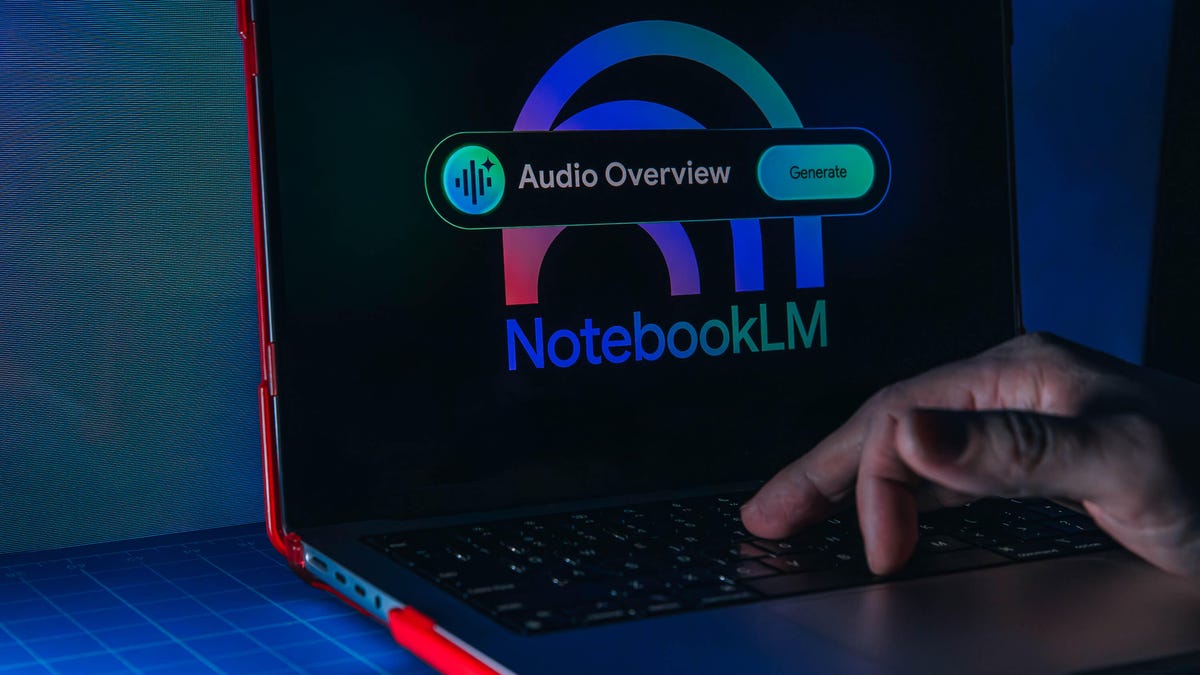
NotebookLM is too good not to try. This is what you need to know.
Among the myriad AI tools available today, NotebookLM stands out as a unique offering. As a Google application, it harnesses AI to assist users with their own source material—only the content you provide. No other tool on the market currently matches its functionality and refinement.
NotebookLM serves as an AI-powered research assistant, enabling users to pose questions and generate outputs from their provided data. Unlike conventional AI chatbots, it exclusively utilizes user-given sources, avoiding random information from the internet or unverified training material.
This innovative application of AI is increasingly sought after. Notably, actor Matthew McConaughey expressed his desire for a personal LLM last year, which would incorporate all his books, notes, and personal insights, enabling him to ask questions without any external biases. Essentially, this is the exact function that NotebookLM provides.
Google first showcased what was then referred to as Project Tailwind at the 2023 I/O developer conference, dubbing it an AI-first notebook. It could respond to queries based on uploaded documents and automatically compile study materials. While this initial capability was impressive, it barely scratches the surface of what NotebookLM offers today.
Since its official launch in 2023, Google has significantly enhanced NotebookLM, making it an exceptional tool for learning and effectively utilizing data. Its versatility appeals to a wide range of users, enhancing its overall utility.
What is NotebookLM?
NotebookLM streamlines your disorganized notes and allows you to extract specific details from extensive data. Its true potential emerges once it processes your source material.
With NotebookLM, you can engage in conversations with its AI, Gemini, regarding the material, and it can also convert your sources into a variety of outputs. Whether you require answers in text form or wish to create audio files, video summaries, slide presentations, or study guides, NotebookLM can cater to your diverse needs, positioning it as a comprehensive AI solution.
NotebookLM’s effectiveness hinges entirely on the sources you supply. It considers your inputs as the only valid information and generates outcomes based solely on them, refraining from scouring the internet. If a query falls outside of your provided materials, NotebookLM will inform you of this limitation.
For instance, when I inquired, “What’s 2 + 2?” using a Notebook filled with research notes from one of my vibe coding articles, the response was: “The provided sources do not contain information regarding mathematics or the sum of 2 plus 2.”
This distinctive aspect sets NotebookLM apart, allowing users to impose boundaries on its functionality—resulting in increased trust in the information it delivers. Traditional AI systems often fabricate answers when lacking information, but NotebookLM typically avoids this pitfall.
Your sources can encompass documents, audio recordings, YouTube videos, web links, and more. Each time you introduce a new source, NotebookLM reevaluates the entire notebook and presents a summary of all inputted materials. This means that the quality of NotebookLM is directly proportional to the accuracy and reliability of the sources you provide. Inadequate or unreliable materials will yield subpar results.
In its simplest form, NotebookLM allows you to ask specific questions related to your sources, ideal for navigating dense content when searching for precise answers.
For example, if you upload an entire ebook for a school report, alongside your lecture notes, you can request NotebookLM to highlight themes, key character motivations, and any other relevant information. While this alone is incredibly useful, it is merely a fraction of NotebookLM’s capabilities.
Who is NotebookLM Best For?
NotebookLM appeals to anyone eager to enhance their understanding and utilization of data, making it suitable for a wide audience. However, due to its plethora of features aimed at learning, it’s particularly beneficial for students. That said, it also serves well for professional use, personal projects, and creative endeavors, making it versatile across various contexts.
Common Uses for NotebookLM
School Material
Upload your study materials, assignments, and class handouts to create a comprehensive resource that you can interact with for subject-related inquiries. With a simple click, you can generate flashcards, audio or video overviews, quizzes, and more to prepare for upcoming assessments. Since learning styles vary, NotebookLM adapts to individual needs by providing diverse outputs—be it flashcards or even your own podcast-style summaries.
The Audio Overview feature, akin to a podcast deep dive, has significantly contributed to NotebookLM’s growing popularity. With just one click, you can produce a detailed audio summary of your source materials presented by two engaging AI hosts, making it both informative and enjoyable. You can even specify the topics you’d like the hosts to discuss. Audio Overviews rank among NotebookLM’s standout features.
Professional Work
NotebookLM is nearly as valuable for professional tasks as it is for academic purposes, particularly when preparing for significant meetings or presentations. Whether you need to distill key points from a detailed report or visualize data through charts or slide decks, it can all be accomplished seamlessly within the NotebookLM studio.
For instance, when faced with a lengthy press release, I can input it into NotebookLM and ask for key highlights in a bullet-point list. I could then generate a concise Audio Overview, summarizing just the critical information. If I desire a more comprehensive audio guide to delve deeper into the material, NotebookLM allows for that as well. It’s crucial, however, to double-check your sources; while NotebookLM excels at providing outputs, it does not perform a fact-check on the information.
Creative Assistant
For personal and creative projects, NotebookLM serves as an invaluable tool, whether you seek a writing collaborator or wish to have your thoughts and journals transcribed into audio form. With the addition of the Nano Banana image generator, you can even create visuals based on your concepts and insights.
One recent experience involved me calling my aunt for a recipe. To ensure I didn’t overlook anything, I recorded our conversation. After organizing my notes and the 45-minute recording, I input both into NotebookLM, which effortlessly compiled a formal recipe document. What astonished me was its ability to generate a slide presentation using only the recording. The slide deck was rich with personality and detail, focusing on the context of our conversation. It even featured a quote: “They’re coming if you got the gumbo, honey.” These delightful, unexpected results showcase the magic of NotebookLM in moments where you may not expect much.
One of several slides NotebookLM created based on a phone conversation I uploaded as a source.
What Are the Cons of NotebookLM?
Despite its numerous advantages, NotebookLM is not without drawbacks. Users are required to engage with Google, which restricts them to its ecosystem, including the use of the Gemini AI system. Although Google assures users that the information they upload is not utilized to train its AI models, concerns about privacy persist given the extensive data Google possesses about its users.
For those already integrated into Google’s suite of services, these risks may be manageable. However, tech-savvy users may consider alternatives such as Open Notebook. While setting up this option is not as straightforward as accessing NotebookLM, it provides solid functionality with an emphasis on user privacy.
NotebookLM Pricing
NotebookLM is available for free to Google account holders, and most users will likely find the free features sufficient for their needs. For those who utilize the platform heavily and want additional sources per notebook and enhanced Gemini access, a subscription to a Google One AI plan is available, offering increased usage limits and support for up to 600 sources per notebook compared to the free plan’s 50.
Final Thoughts
NotebookLM presents a fascinating concept that has evolved into a powerful AI tool, potentially the most impressive product powered by Gemini. It’s user-friendly and rewards exploration and experimentation. Currently, no other offerings in the market provide a similar experience without limitations. Regular updates and enhancements continue to improve its capabilities, making it versatile for various use cases. Whatever features you desire may indeed already be on NotebookLM’s development roadmap.